In a fast-paced world of marketing, visuals form the cornerstone of success. It might be preparing a highly eye-catching post for social media, designing banners for promotion, or making images ready for the product in e-commerce. Right image dimensions play a huge role in such things. Resizing or stretching an image to a particular format often becomes challenging and requires maintaining quality.
This is where Uncrop.org comes in, an advanced AI image extender. It makes this process of image extension comfortable through the production of very realistic content filling the image in a seamless manner that is not noticeable from the original image. This blog provides a step-by-step guide on how to use Uncrop.org to extend images for marketing purposes.
Why Image Expansion Matters in Marketing
Marketing graphics must be flexible. From an Instagram post to a YouTube thumbnail, or from website headers to digital ads, each one has specific size and aspect ratio requirements. Sometimes when adjusting the image to fit the frame so it does not get cut off, the most important text gets cropped out. However, resizing it may distort the proportion of image. Expansion offers another solution in adding new content filling in the blank space around the original frame. This can be done with tools like Uncrop.org and is a very viable, efficient, and accessible process.
What Is Uncrop.org?
With no cost at all, uncrop.org automatically expands an image according to boundaries that may originally define that image. It looks at what it gets in an uploaded image and predicts naturally how that scene might be extended; thus, it generates elements that will fit right in with the original composition. This becomes the answer for marketers who desperately need to resize or enlarge a picture without any loss of quality.
Applications of Uncrop.org in Marketing
1. Social Media Content
Social media platforms include Instagram, Facebook, Twitter, and YouTube with certain dimensions of the posts, stories, banners, and thumbnails. Marketers can upscale their images on this website without cropping any important details or the quality getting distorted.
For example,
- Use Uncrop.org to stretch square pictures into a vertical format for stories on Instagram.
- Use Uncrop.org to stretch the horizontal borders of YouTube thumbnails without distorting the thumbnails while keeping the essential elements in place.
2. E-Commerce Product Images
In e-commerce, product photos often need to be resized for platforms like Amazon, Shopify, or Etsy. Using Uncrop.org:
- Stretch product images as naturally as possible to fit platform-specific dimensions.
- The AI ensures that the extended areas match seamlessly with what already exists on the image without compromising the level of professionalism.
3. Advertising Materials
Banners and posters often have unique aspect ratios for advertising campaigns:
- Extend existing images for digital ads without losing focus on key visual elements.
- Expand photos horizontally for website headers or email newsletters.
4. Artistic Projects
For artistic marketing campaigns with artwork or photography:
- Add visually cohesive elements around existing frames to enhance compositions.
- Use expanded visuals in presentations or storytelling projects.
Step-by-Step Guide: How to Use Uncrop.org
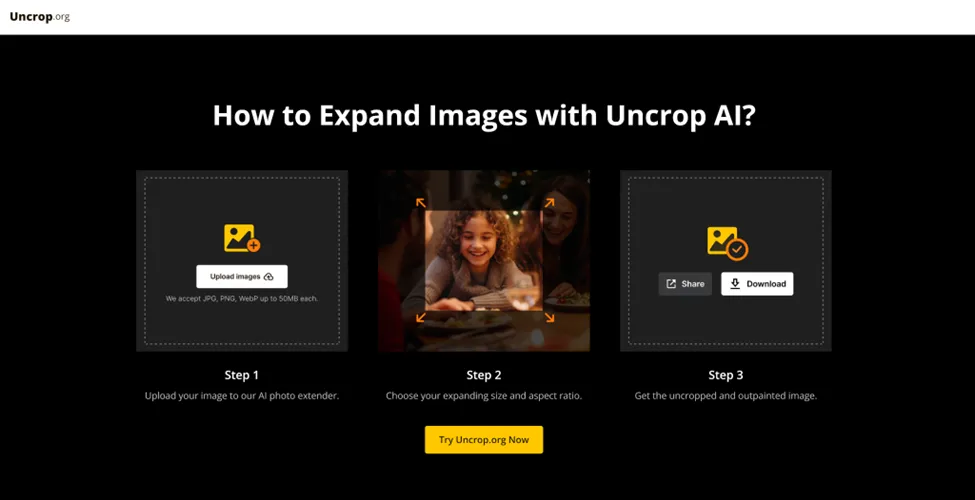
Step 1: Upload Your Image
The first step to using Uncrop.org is to upload the image you want to expand. The process is very simple and intuitive.
- Go to Uncrop.org: Open your favorite web browser and go to the org website.
- Click "Upload Image": Scroll down to the home page and click on the "Upload Image" button.
- Choose Your File: Select the image file you want to enlarge. Uncrop.org supports common formats like JPG, PNG, and WebP, and the maximum file size is 50MB.
- Confirm Upload: After you have selected, confirm your upload and proceed to the next step.