A business digital footprint is the trail of data a company and its staff leave online, plus the data other parties publish about it: websites visited, social posts, domain records, employee profiles, cached pages, file metadata, and third-party listings. Common examples include staff LinkedIn profiles, public code repositories, WHOIS domain records, analytics tags on the website, and browsing activity logged on unsecured networks. Managing that footprint means knowing what is exposed, removing what does not need to be public, and controlling how new data gets created.
The bigger the digital footprint, the more opportunities there are for threats to hide in plain sight. As businesses expand their online presence, cyber threat intelligence is becoming increasingly important for identifying exposed information, connecting warning signals, and understanding where digital traces could create security risks. This growing focus is reflected in the Global Cyber Threat Intelligence Market, which is estimated to be valued at USD 3.81 billion in 2026 and is expected to reach USD 27.43 billion by 2033, exhibiting a CAGR of 32.6% from 2026 to 2033.
Table of contents
- What is a digital footprint, and why does it matter for businesses?
- Common digital footprint examples every company leaves behind
- Active vs passive digital footprints: what's the difference?
- How to check your company's digital footprint
- How to reduce and manage your digital footprint
- Common digital footprint mistakes that expose company data
- Digital footprint best practices: a quick checklist
What is a digital footprint, and why does it matter for businesses?
A digital footprint is the record of data a company generates through its online activity, together with data that other parties publish about it. Every site an employee opens and every file they share can add to it, along with data collected quietly in the background. For a business, it shapes how customers, partners, and attackers see the company.
The footprint matters because it doubles as an attack surface. Exposed employee details, forgotten subdomains, and leaked credentials give attackers material for phishing and social-engineering attempts. It also affects reputation, because outdated pages and old posts stay searchable for years, long after they stop reflecting the business. A footprint no one monitors grows in ways the company never planned.
This is where cyber threat intelligence is becoming increasingly valuable. Rather than simply identifying what is publicly visible, businesses can use threat intelligence to connect exposed information with emerging threats, suspicious activity, and potential attack paths. The change from passive visibility to proactive threat awareness is a major changes framing modern cybersecurity.
Common digital footprint examples every company leaves behind
The most common digital footprint examples fall into a few groups: identity data, technical records, and third-party listings. Sorting each item into a category makes it easier to decide what to keep public and what to lock down.
- Employee profiles on LinkedIn, GitHub, and conference pages
- Company social media accounts and their full post history
- Domain and hosting records visible through WHOIS lookups
- Marketing and analytics tags, tracking pixels, and cookies on the website
- Metadata inside shared documents, such as author names, file paths, and revision history
- Cached and archived versions of old web pages
- Listings on data-broker and business-directory sites
- IP addresses and browsing activity logged by the networks the team uses
Individually these items look harmless, but together they let an outsider map the organization's staff, systems, and suppliers.
The growing volume of exposed information is also fueling demand for more actionable cyber threat intelligence. Modern security teams are highly looking beyond isolated indicators and using multiple signals to understand whether seemingly minor digital traces could contribute to a broader security risk.
Active vs passive digital footprints: what's the difference?
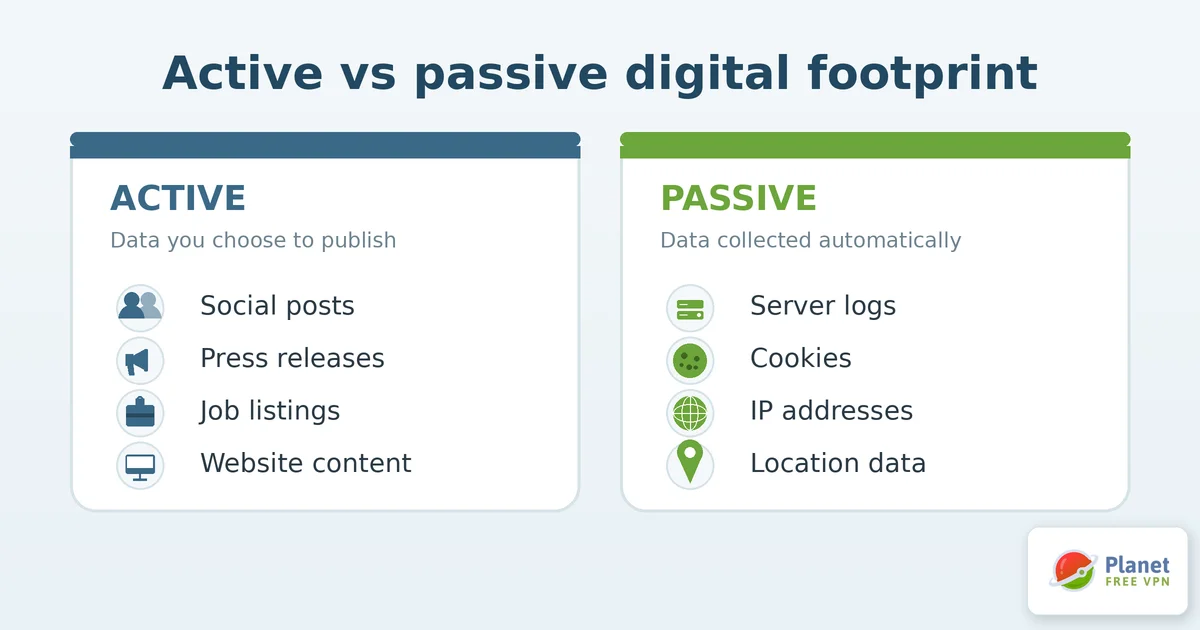
A digital footprint has two parts. An active footprint is data the company opted to publish, such as social posts, press releases, job listings, and website content. A passive footprint is data collected without deliberate action, such as server logs, analytics records, cookies, and location data tied to devices.
The passive footprint is the harder one to manage because it forms quietly. Employees rarely notice that connecting to public Wi-Fi, loading a tracking-heavy site, or reusing a work email on a personal service adds to it. Reducing the passive footprint usually means changing defaults and habits, because there is often nothing to simply delete.
Another important trend is the move toward continuous threat monitoring. Digital traces can change instantly, meaning an exposure that appears harmless today may become useful to an attacker tomorrow. Continuous intelligence aid security teams keep pace by identifying new indicators, reviewing threat activity, as well as reassessing risks as the environment changes.
How to check your company's digital footprint
To check your company's digital footprint, start by searching the way an outsider would. Run the company name, key domains, and senior staff names through a search engine and note what appears on the first few pages.
From there, a few tools fill in the gaps. WHOIS and DNS lookups show what your domain records reveal. A breach-check service flags email addresses caught in known leaks. Reverse image search surfaces where logos and staff photos appear. Data-broker searches show which directories list the company and its people. Record what you find so you can track how the footprint changes over time.
For organizations operating in the U.S., these checks are becoming increasingly important as the U.S. Cyber Threat Intelligence Market gains relevance in identifying and contextualizing digital exposure. Threat intelligence can aid businesses connect publicly exposed domains, employee information, compromised credentials, as well as infrastructure details, giving security teams a clearer picture of where seemingly minor digital traces could create larger risks.
How to reduce and manage your digital footprint
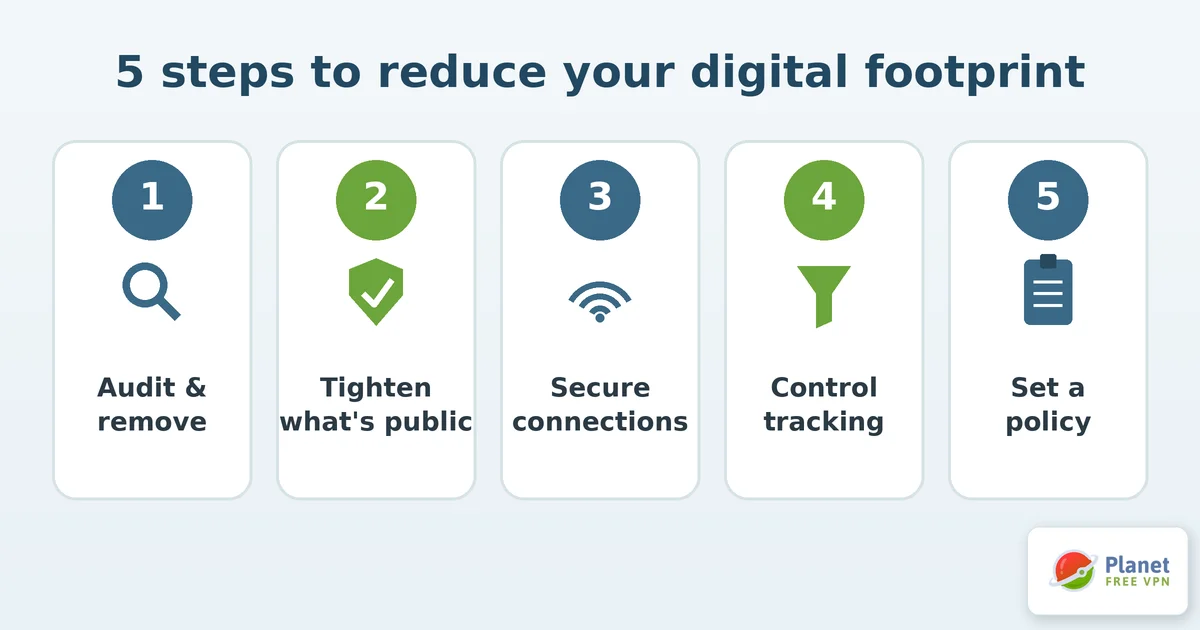
Reducing a digital footprint is a matter of removing what does not need to be public and controlling what gets created next. Work through it in stages so it stays manageable.
- Audit and remove. Delete dormant accounts, old subdomains, and outdated pages. Ask data brokers to remove company and employee listings, then follow up, since many re-list over time.
- Tighten what stays public. Review privacy settings on company and employee profiles, strip metadata from documents before publishing, and limit which staff details appear on the site.
- Secure how the team connects. Employees working from cafés, airports, and hotels add to the passive footprint every time they use an open network. Routing traffic through a free VPN such as Planet VPN hides the device's IP address and encrypts the connection, so the network cannot log which sites the company reaches.
- Control tracking on your own site. Audit the analytics tags and third-party scripts you load, and drop the ones you do not use.
- Set a policy and review it. Give staff clear rules on what to share, and schedule a footprint review each quarter.
Common digital footprint mistakes that expose company data
Most footprint problems come from ongoing neglect. A few show up again and again:
- Leaving old accounts and subdomains active after staff or projects move on
- Publishing documents without stripping author names and file paths from the metadata
- Reusing work email addresses on personal or low-security sites
- Assuming a deleted post is gone when archives and caches still hold it
- Treating public Wi-Fi as safe and skipping any connection-level protection
None of these are expensive to fix, but left alone they give attackers an easy first step and let outdated information keep shaping how the company looks online.
Digital footprint best practices: a quick checklist
Keep the essentials in one short checklist the team can act on
- Search for your company and staff regularly, and record what an outsider can see.
- Remove dormant accounts, old pages, and unnecessary data-broker listings.
- Strip metadata from files and review privacy settings before anything goes public.
- Protect connections on untrusted networks and audit the tracking on your own site.
- Write down a sharing policy and review the footprint at least once a quarter.
The footprint keeps growing as the business operates, so the quarterly review works best as a standing task with one named owner.
FAQ
What is a digital footprint example?
A digital footprint example is any specific piece of data a company or its staff leaves online, such as an employee's LinkedIn profile, a WHOIS domain record, a tracking cookie on the website, or metadata inside a shared document. Individually these seem minor, but together they reveal a people, tools, and infrastructure of the company.
How can a business check its digital footprint?
Start by searching the company name, domains, and senior staff through a search engine to see what an outsider finds. Then use WHOIS lookups, breach-check services, reverse image search, and data-broker searches to fill in what plain search results miss.
What is the difference between an active and passive digital footprint?
An active digital footprint is data a company publishes on purpose, including social posts, press releases, website content, etc. A passive footprint is data collected without deliberate action, including server logs, cookies, as well as IP addresses recorded by the networks the team uses.
Can you completely delete a digital footprint?
No. You can shrink a footprint by removing accounts, pages, and data-broker listings and by limiting new data, but archives, caches, and third-party records mean some traces remain. A realistic goal is to keep exposure small and monitored, because full erasure is not possible.
Why does a digital footprint matter for business reputation?
A digital footprint shapes what customers, partners, and job candidates find when they research a company, and outdated pages or old posts can stay searchable for years. It also affects security, since exposed employee as well as infrastructure details give attackers material for phishing and social engineering.
How does public Wi-Fi affect a company's digital footprint?
When employees use open networks in cafés, airports, or hotels, those networks can log the sites as well as services the company accesses, which adds to its passive footprint. Encrypting the connection as well as hiding the device's IP address keeps that activity from being recorded by the network.
As businesses work to turn these scattered digital traces into actionable security insights, the cyber threat intelligence landscape continues to expand. Major technology and security providers, including IBM, Cisco Systems, Fortinet, FireEye (Trellix), CrowdStrike, Check Point, Huawei, Kaspersky, Trend Micro, Symantec (Broadcom), Dell Technologies, BlackBerry, Anomali, Recorded Future, and Rapid7 / Splunk (Cisco), are part of this evolving landscape. Their presence shows the growing focus on identifying exposed assets, connecting threat signals, as well as helping security teams to understand which digital traces could pose a broader risk.

