Most teams waste hours bouncing between apps, masking by hand, and re-uploading versions just to fix small issues. I have watched marketers fight cluttered backgrounds, awkward crops, and endless revision cycles. The good news is that smarter editors now handle these tasks in seconds, not hours.
Global investment in artificial intelligence is climbing fast, and adoption keeps rising across marketing teams. The photo editing software market alone is expected to grow significantly, reflecting this broader shift. Your competitors already sped up their creative cycles with automated help. This guide focuses on the fastest path for non-designers to produce usable images that still meet brand standards.
How I Ranked These Editors
Speed from brief to usable image mattered more than any single feature when I ranked these tools.
I prioritized four core jobs: removing objects, replacing elements, restyling images, and expanding frames for new placements. I also weighed output quality, friction, licensing clarity, team workspaces, and API access for automation.
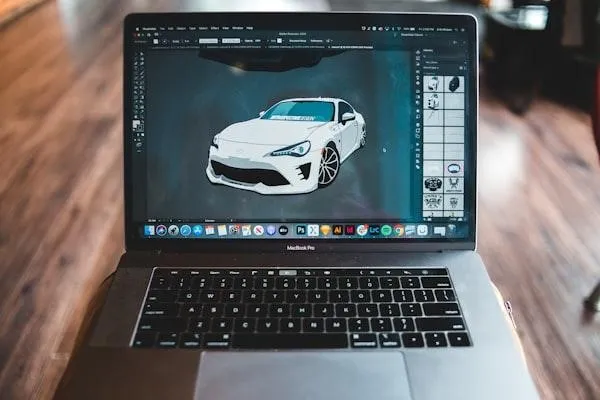
getimg.ai
getimg.ai is my top choice for non-designers who want fast, on brand visuals without wrestling with complex software.
Marketers and creative operations leads can generate, edit, and export in one browser tab. Setup stays light, and teammates get similar results from the same prompts. Inpainting edits inside a selection, while outpainting extends the scene beyond the original frame.
Standout Edits
- Remove distractions with inpainting, using short prompts and simple brush selections.
- Expand product photos for new aspect ratios using outpainting.
Time Savers
- Simple prompts and optional reference images keep style consistent across variants.
- Start with 40 free daily credits to validate fit before rollout.
If you want similar object removal, background swaps, and restyling without opening heavy desktop software, stick with this browser-based workflow. It keeps edits focused on marketing ready results instead of complex layer management. For a one click way to add, remove, or restyle objects without a learning curve, try the AI Image Editor from getimg.ai.
Watch Outs
Plan credit budgets for high-res assets. Create brand safe prompt libraries so edits stay consistent across teammates. One subscription provides access to 25 plus models, which keeps admin overhead low.
Adobe Photoshop With Generative Fill
Adobe Photoshop works best when your team already lives in Creative Cloud and needs precise control alongside modern generative features.
Teams standardized on Creative Cloud get classic layer control plus prompt-based edits. Generative Fill lets you add, remove, or modify details from text prompts inside your existing PSD files.
Standout Edits
- Prompt based add, remove, or modify actions on tight selections.
- Canvas expands for new aspect ratios without manual cloning.
Time Savers
The contextual task bar surfaces the right action as you select areas. Variations help you compare options quickly. Content credentials embed provenance for governance.
Watch Outs
Premium and partner models consume credits. Non designers may need training to navigate layer-based workflows effectively.
Canva Magic Studio
Canva suits brand and social teams who already build most assets from templates and need quick, guided tweaks.
Brand and social teams who build from templates can edit inside the same place they publish. Magic Edit and the eraser let you add, replace, or modify elements with brush selections and short prompts.
Standout Edits
- Brush based edits for localized changes with plain prompts.
- Fast background removal for common cutouts.
Watch Outs
Background removal has practical limits: up to 500 images per day, and images over 10 megapixels get downscaled during processing. Confirm export quality per channel before scaling campaigns.
Pixlr
Pixlr works well when you need quick web edits in a browser and do not want to install heavy software.
This lightweight browser first editor handles quick web fixes when install free speed matters. Generative fill tools support prompt based local edits, canvas expansion, and easy background removal.
Standout Edits
- Localized add and remove actions with text prompts.
- Outpainting to extend backgrounds for new ratios.
Watch Outs
Premium generative features consume credits. Selections sometimes need refinement for clean edges, so expect occasional redo passes.
Fotor
Fotor suits non-technical users who mainly need quick cleanups across web and mobile.
Simple, cross platform editing keeps the interface light. Inpainting and outpainting handle adding, removing, or replacing objects and extending images beyond their original bounds.
Standout Edits
- Prompt based fills for small selections.
- Outpainting for taller or wider canvases.
Watch Outs
Free versus paid export limits can slow large batches. Expect multiple passes on tricky textures like glass or hair.
Luminar Neo
Luminar Neo fits photography centric teams who need RAW workflows and batch enhancements alongside creative generative tools.
Photography focused teams get object removal and replacement inside a full photo pipeline. GenErase and GenSwap remove or replace objects from short prompts, and Background Removal AI speeds subject isolation.
Watch Outs
Some generative features live behind subscriptions and may expire on perpetual licenses. The desktop learning curve is higher than web tools, especially for new editors.
Clipdrop By Stability AI
Clipdrop is handy for quick, ad hoc tweaks when you only need a simple browser tool for one off images.
You can expand backdrops, clean up small flaws, or generate quick variations straight from the web. Uncrop uses outpainting for aspect ratio changes on top of SDXL models.
Watch Outs
Plan limits and available models change over time. Expect extra passes on complex edges, and confirm export controls before any brand delivery.
Power-User Alternatives to Know
Platforms like OpenArt, Krea, Leonardo, and Freepik run similar models but feel heavier and less friendly for most marketers.
These platforms prioritize breadth and fine control, so non specialists move slower.
OpenArt gives free plan access to SDXL plus premium FLUX based modes. Krea supports realtime updates and multiple inputs but adds more choices on every screen. Leonardo offers Omni Editing with power user level controls, and Freepik introduced its F Lite model with unlimited generation for premium subscribers.
These tools rely on many of the same underlying AI models as simpler editors but ship denser interfaces, which usually means a worse experience for most marketing teams.
What to Do Next
You only need one or two well-chosen tools to remove most friction from your image workflow.
Start with a fast browser tool that can remove, replace, restyle, and expand in one place. Move to pro desktop only when you need deep layer control or RAW pipelines.
Run a one-week trial with your top pick on a real campaign brief. Track time to asset, approval rates, and edit counts before scaling.
Common Questions
Most teams ask similar questions when they first bring smart editors into their workflow.
Which Editor Works Best for Quick Product Cutouts?
For simple cutouts at scale, Canva works fast but has daily limits. For precision and layer control, Photoshop excels. For web first flow with inpainting control, getimg.ai and Pixlr handle removals well.
How Do Credits and Limits Impact a Campaign Timeline?
Credits throttle throughput, especially on big catalogs. Map the number of SKUs and variations to available credits, and favor tools with predictable use and a free trial window.
When Should I Switch Models for Better Fills?
If two runs fail, tighten the mask and retry with a different model. Keep prompts short and specific. Use reference images for style consistency when context fidelity matters.
Can I Automate Edits Via API For Bulk Catalogs?
Yes. Choose tools with documented APIs and usage-based pricing. Pilot on 50 to 100 images to confirm quality and cost, then scale with queued jobs and logging.

