
We all know the situation. You take what you think is the best possible picture, only to later recognize that it is simply too dark to truly appreciate. The faces become featureless ovals in the shadows, the background becomes no longer lovely, and the experience simply becomes muted. With the use of Dreamina and an intelligent AI image editor in the picture, such almost-lost photos need not be that way. They can be restored to their original radiance and the mood that was there in the moment you snapped it.
Not all dark photos are errors. Some are due to insufficient lighting, night photography, or an iPhone camera that took a while to adapt to the lighting. In some instances, the lighting was dramatic and engaging, but it crossed the boundaries. Dreamina aids in achieving the optimal lighting balance between drama and clarity to ensure the output is intentional, not unintentional.
Why brightening changes everything
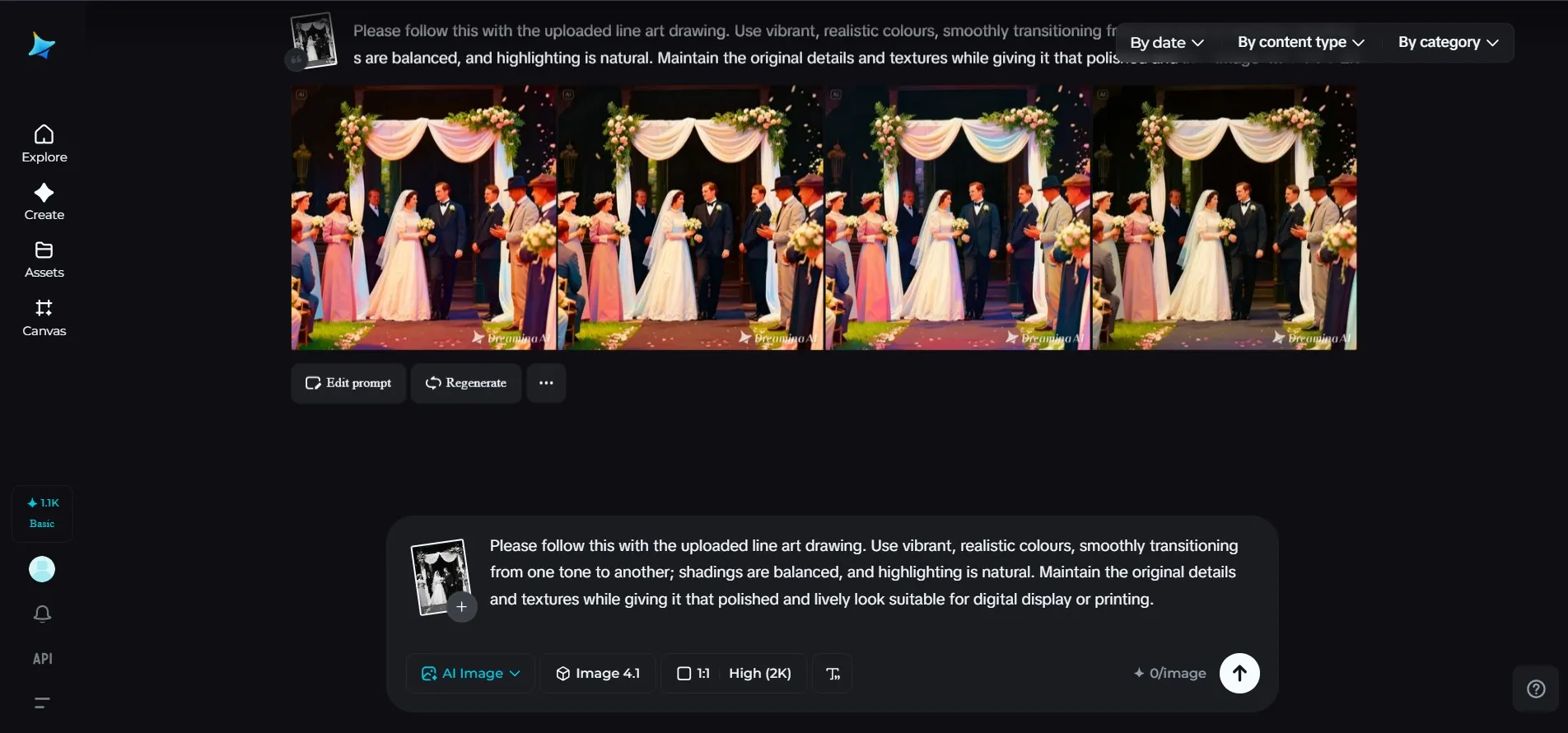
When the image is too dark, your eyes just have to work harder to interpret the image. Adding brightness is more than just adding light to the image. It adds color, detail, and emotion to the image. A quick adjustment to the exposure will reveal the sparkle in people’s eyes and the brightness of the city lights at night.
After individuals begin correcting their dark images, they usually observe the following:
- The expressions become clearer
- The colors appear richer and more natural
- Backgrounds regain depth instead of turning black
- The picture feels more inviting to look at
Light is storytelling. It is the guidance that decides your gaze and your emotions.
Dreamina, your digital lighting sphere
Dreamina is designed to tackle such lighting issues in an artistic manner. You're not only sliding the brightness bar. You're helping the image with the guidance of the prompt that tells you what you're trying to achieve. This allows you to illuminate the dark areas of the image without blowing out the lights and maintain the color balance and prevent the color from becoming dull and washed out.
Because Dreamina is a reference image editor, it maintains the original mood of the image being edited. A night scene can be maintained as a night scene yet show a level of detail. When taken indoors, a selfie can appear to be taken indoors yet appear warm and cozy.
Step 1: Upload the reference image and the prompt
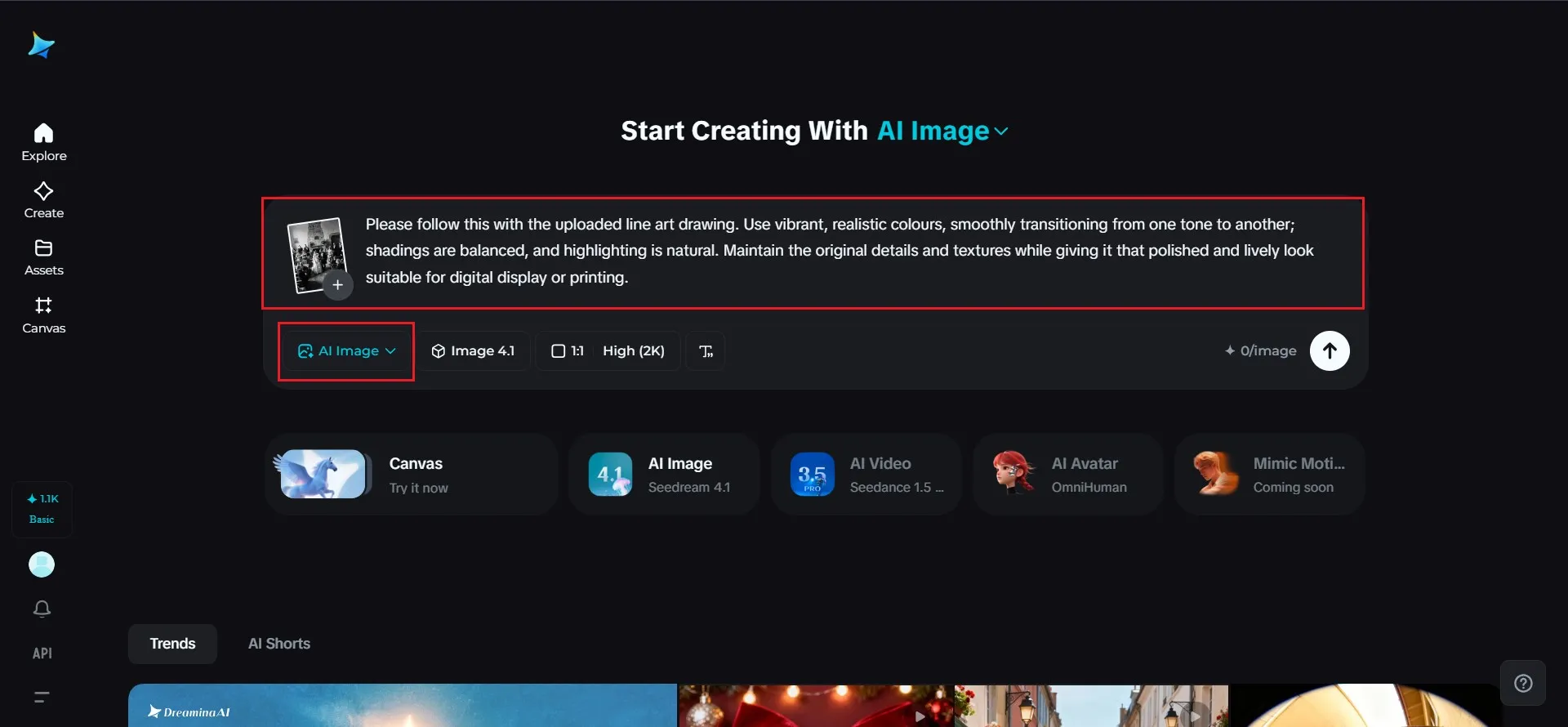
To upload your reference image, you need to log in to Dreamina and proceed to AI Image and click on the plus sign. The moment your dark image is uploaded, you can create your prompt that will let Dreamina know that you would like your image to become brighter and more colorful.
For example, please follow this with the uploaded line art drawing. Use vibrant, realistic colours, smoothly transitioning from one tone to another; shadings are balanced, and highlighting is natural. Maintain the original details and textures while giving it that polished and lively look suitable for digital display or printing.
Step 2: Select the performance model and settings
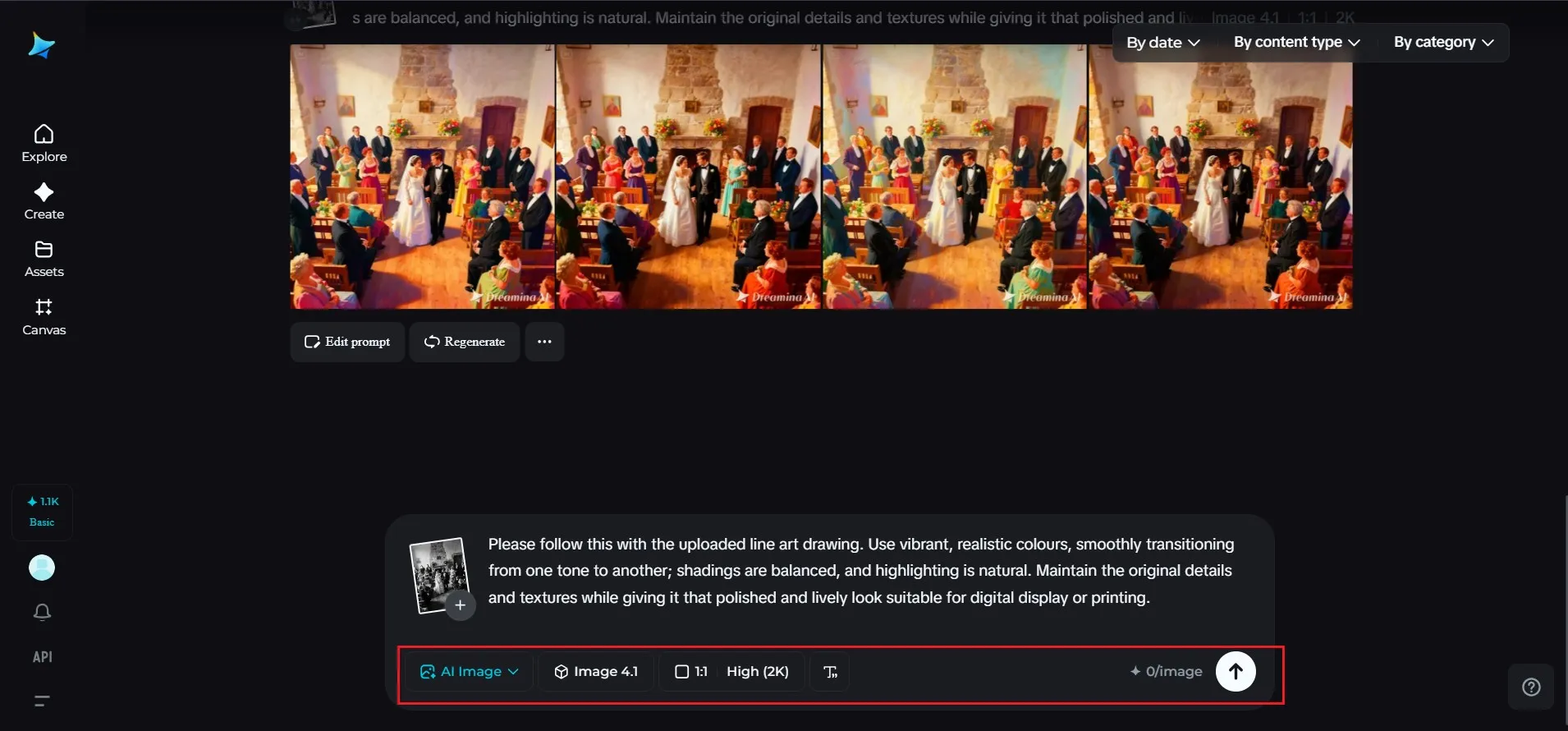
To smoothly handle lighting and brightness, click on Image 41. Depending on how you want to use the picture, be able to select the resolution and aspect ratio, whether for use on social media, on a webpage, or for printing. Once all seems perfect, click on the Generate button for Dreamina to work on the picture.
Step 3: Fine-tuning of brightness & download
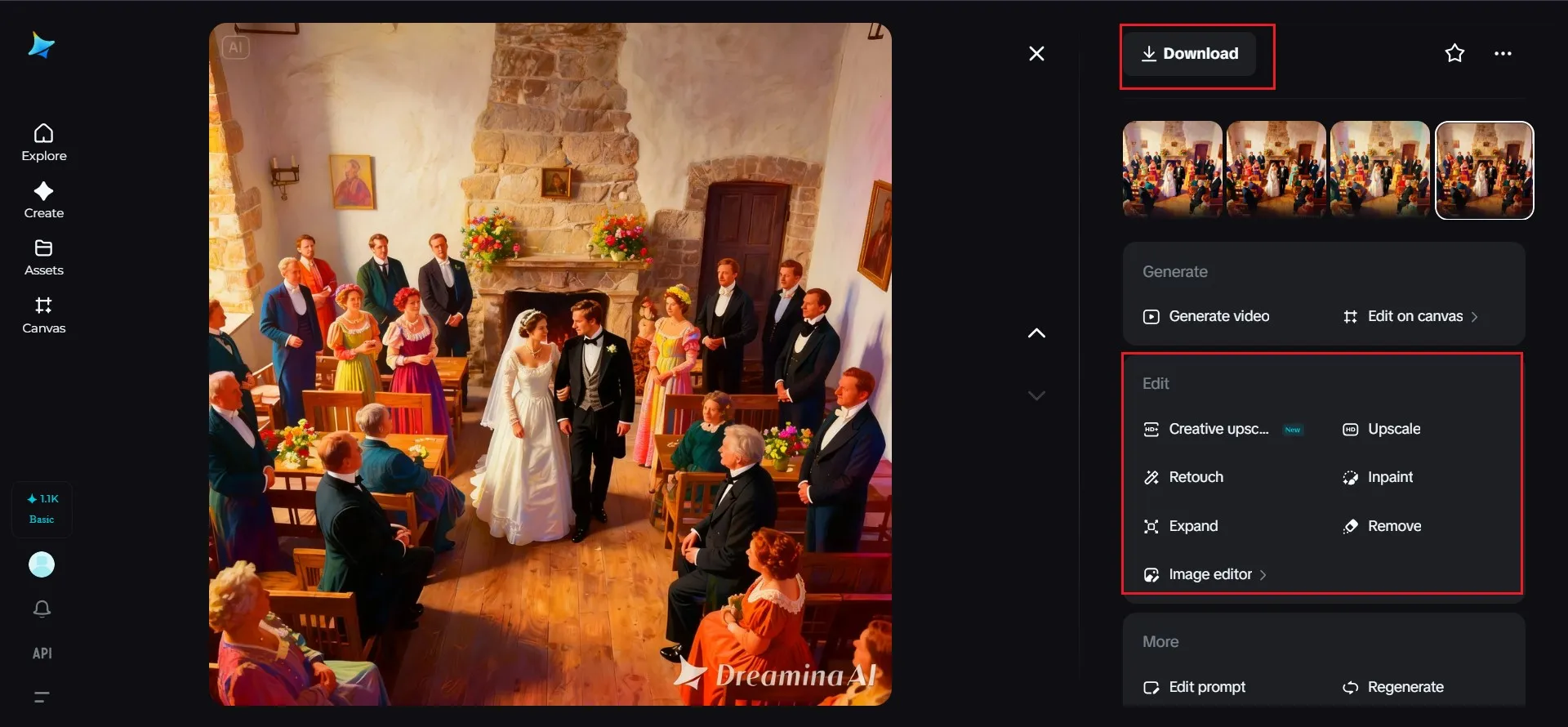
Try to evaluate the images Dreamina has made and select the one that has the best illumination and exposure. If so, use tools such as upscale and retouching from the right side of the panel for enhancing illumination and clarity. Click the button Download once you are happy with the image.
Seeing details that you knew nothing about
Fixing the darkness of an image can be comparable to opening the window. Suddenly, the details, which were invisible before, are clearly visible. The pattern on the jacket, the detail on the wall, or the glowing light of the lamps, for instance, are all viewable. This brings reality to your photographs.
Numerous users follow up the brightening process with a photo enhancer that polishes all these details. This ensures that the picture looks clear and fresh with a realistic appearance that appears as if it were real.
Where are the brightened images being used?
Once the photo has been restored to look good, the image tends to find new life. Brightened photographs are generally used for:
Examples of social posts that display the true incident:
- Profile pictures that appear confident and clear
- Profile pictures that appear confident and
- Event recaps where faces and environments are easily recognizable
- Creative projects that require powerful and communicative images
Some individuals even use their enhanced photos as design material that helps generate posters from parties, trips, or home decor ideas, giving former black-and-white pictures new life with purposeful flair.
Light as a creative tool
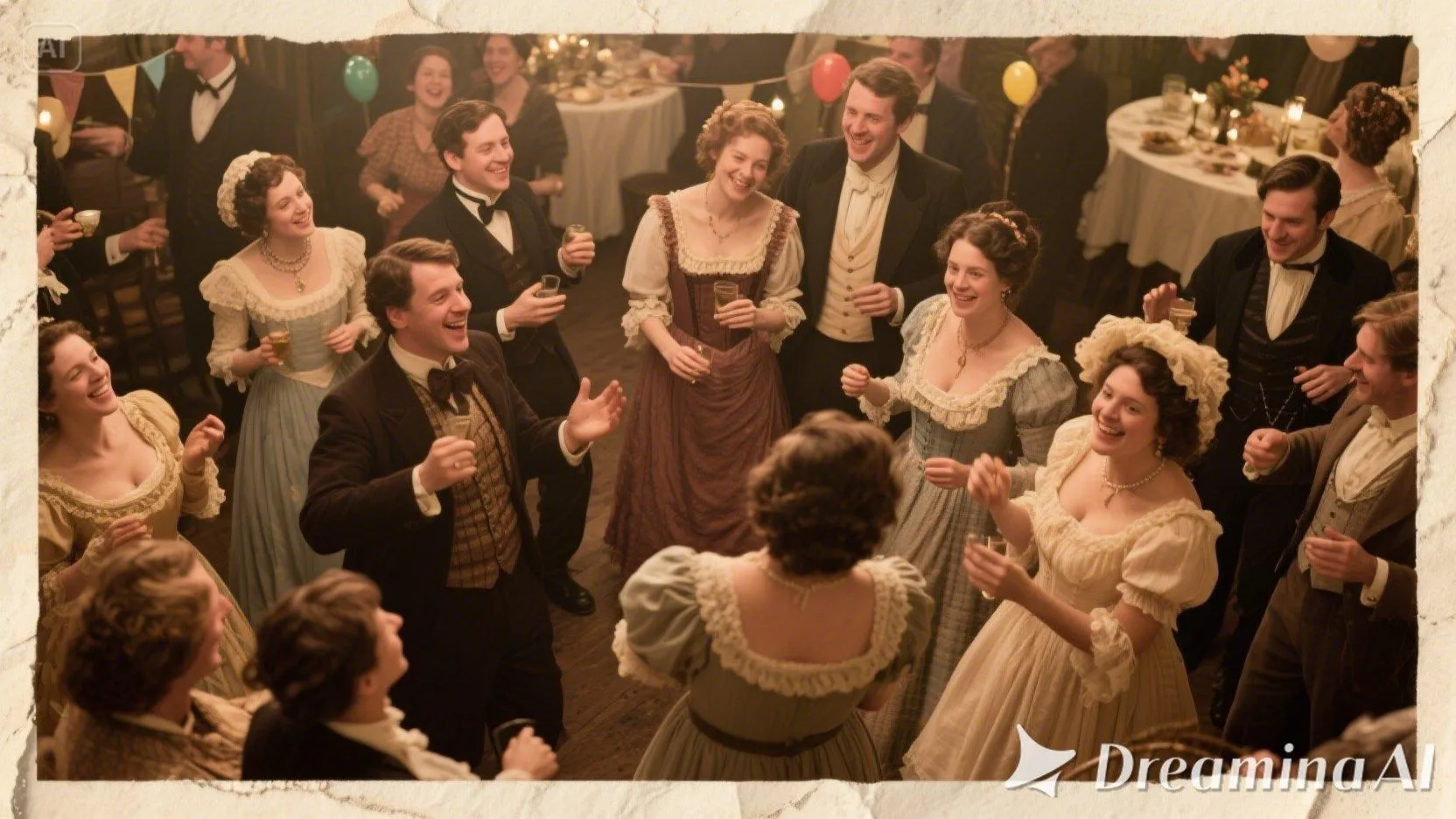
Brightening is about more than correcting errors. Brightening is about creating the look. Soft light can add a romantic look. Clean, bright light can add an energetic look. Light shadows can add a mysterious look to a nighttime shot. With Dreamina, you can play with the moods by using these cues.
Experiment with a warmer light for interior shots, or a cooler, cleaner light for cityscape night shots. The effect of all these variations will be to give your image a different mood.
What makes Dreamina different
Dreamina does not simply apply a filter. It reads your image and your prompt together. Meaning the light changing is context-aware. It treats a face differently than it does a background, and the sky is adjusted in such a way it still feels like sky, not a flat blue overlay.
This gives the impression that the resulting image is not only intentional but carefully balanced by a professional editor who has cranked up the brightness.
From forgotten shots to favorites
Just imagine all the photos sitting on your phone or computer, never shared simply because they're too dark. Brightening them can turn those forgotten shots into some of your favorite pictures. Suddenly, that night out, that candlelit dinner, or that sunset walk becomes something you actually want to share with people.
Amazing how often a simple lighting adjustment changes the way you feel about a picture with the help of Dreamina. What initially looked useless becomes meaningful again.
Disclaimer: This post was provided by a guest contributor. Coherent Market Insights does not endorse any products or services mentioned unless explicitly stated.







 Contact Us