Businesses employ Network Attached Storage (NAS) as it is an affordable as well as scalable solution for centralized storage of data. It also improves collaboration along with management of critical business data by acting as a shared storage on a network.
NAS devices can be configured as a single storage pool or a RAID that provides data resilience. While setting up a NAS, several factors like type of setup, cost of setup, scalability, type of data, backup and recovery features, and more are taken into consideration. These factors help in maintaining a perfect balance between data availability and protection against data loss.
But, like other storage solutions, NAS devices are also prone to data loss. In this post, we will look at the possible causes behind data loss in NAS and see how to recover critical business data in the event of data loss.
What Causes Data Loss in NAS?
Data loss in NAS devices can be an outcome of various internal as well as external factors. Here are a few causes of data loss in NAS:
- Controller Malfunction: Power surges, voltage fluctuations, along with frequent power outages can cause the NAS controller to malfunction, resulting in inaccessibility of data.
- Improper RAID Rebuild: Improper RAID rebuilds in a NAS can cause overwriting of the existing data, leading to permanent data loss.
- Human Errors: Accidentally deleting files and folders from shared NAS folder, formatting NAS volume, incorrectly configuring RAID, or replacing failed drive/s can result in data loss.
- Firmware Issues: Firmware issues could make the NAS device un reachable, resulting in data dropping.
- File System Corruption: File system may get breached because of power cut during data write operations, malware attacks, etc.
- Multiple Drives Failure: In a RAID-based NAS if multiple drives fail, then the entire RAID configuration fails, resulting in entire loss of data.
Challenges of NAS Data Recovery
Unlike conventional storage devices, data recovery from NAS devices requires specialized tools as well as skills. So, while performing NAS data recovery, you may face the following challenges:
1. File System Compatibility
File systems, like ZFS or BTRFS, are basically used in NAS drives of some specific brands, such as Synology and QNAP. They have their own metadata structure, data compression, as well as organization algorithms, which are not supported by all the data recovery tools. The devices formatted with such file systems require specific tools to recover data.
2. Data Encryption
Performing data recovery on encrypted NAS drives is not an easy way. On the other hand, if the encryption key is lost or the encryption metadata is damaged, data recovery can become more challenging or even impossible.
3. RAID Complexity
Recovering data from RAID-based NAS devices is a challenge as it requires knowledge about different RAID configurations and hands-on expertise in dealing with different RAID arrays.
How to Recover Data from NAS?
In case of a data loss event, to perform data recovery from NAS devices, you can follow the below-mentioned steps.
Step 1: Identify the Type of Issue
The first step is to diagnose the type of problem with the NAS device. You can identify whether the issue is physical in nature or logical. This helps devise a suitable plan for data recovery. Physical issues involve hardware failure, controller failure, etc. Logical issues include missing/deleted files or NAS is not showing on the system.
Step 2: Check NAS Logs to Understand the Problem
You can check the logs of your NAS to get in-depth details of the problem encountered. Log file contains a record of all activities happening on your NAS device, along with timestamps. This helps understand the problem and resolve it.
Step 3: Take Necessary Action
Most enterprise-grade NAS devices employ RAID configuration. Hence, you can check the status of the member drives and locate the faulty drives within the NAS management software. You can identify the faulty drives as well as replace them with healthy drives. The controller will automatically rebuild the array and the data on the failed drive.
Step 4: Recover the Data
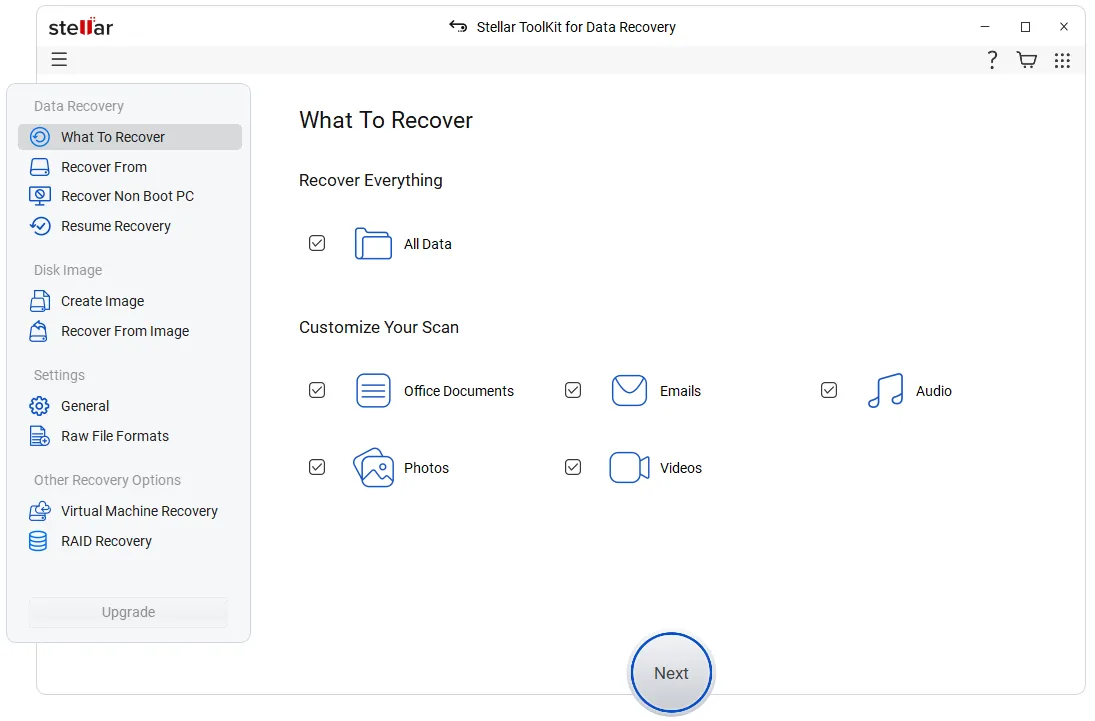
After detecting the issue, firstly you can try to recover the lost data from backup (off-site or cloud), snapshots, etc. In case the backup is not available, you can use a particular NAS data recovery software, like Stellar Toolkit for Data Recovery to ease the data recovery hassle. It is an advanced NAS data recovery software that is capable of recovering data lost from NAS device in various circumstances, such as accidental deletion, volume formatting, member drive failure, etc. In case you have a failed RAID-based NAS device, you need not worry. You can make use of this software to recover data from RAID-based NAS devices of all popular brands, such as Synology, QNAP, Asustor, etc.
Step 5: Contact Professional Services
If the data is lost due to physical damage, then you can contact a professional data recovery services provider.
Conclusion
Recovering lost data from NAS device needs expertise as well as specialized tools. Several features, like Snapshots, versioning, off-site, cloud backups, etc., can help you recover files lost due to accidental deletion, volume formatting, member drive failure, or any other reason. However, the easiest way to recover data from NAS is by using a NAS data recovery software, such as Stellar Toolkit for Data Recovery. It is a simple-to-use DIY software that helps you recover lost files and folders from NAS or RAID-based NAS without any hiccups.
Disclaimer: This post was provided by a guest contributor. Coherent Market Insights does not endorse any products or services mentioned unless explicitly stated.







 Contact Us