Being a solo creator in 2026 means doing many jobs at once. You write scripts, make visuals, edit videos, market the content, and publish it yourself. The hard part is not always finding ideas. It is turning those ideas into videos fast enough.
I have talked to creators who run YouTube channels, personal brands, online stores, and newsletters alone. Most of them have the same problem. There are not enough hours in the day to make videos all the time.
This is where AI video platforms help a lot. The right tools can help one person make content that used to need a whole team.
The global AI video market is expected to reach a valuation of USD 42 Billion by 2033, as per Coherent Market Insights. It can scale at 27% CAGR over the forecast period (2026-2033). The rapid consumption of videos and the use of AI tools for video creation can drive market growth.
I tested some of the most popular platforms and found that each tool fits a different kind of creator.
What Solo Creators Actually Need
A solo creator usually has two limits: time and budget.
A good platform should make it easier to test ideas, make more content, and move from idea to post without too much friction.
I judged these platforms based on a few things
- Speed of generation
- Ease of learning
- Variety of outputs
- Editing flexibility
- Ability to create content at scale
- Commercial usefulness
- Overall creator efficiency
The best-looking results do not always win. The tools that save the most time often become the most useful. These needs are also part of the broader demand driving the AI video market.
The huge demand for videos in the sectors of education, entertainment, and marketing is expected to drive the AI video market growth over the forecast period. Videos help in consuming the changing information of the world around us. The search for immersive experiences is likely to drive market growth as well.
Top 10 AI Video Platforms for Solo Creators
-
Loova for Running an Entire Content Studio
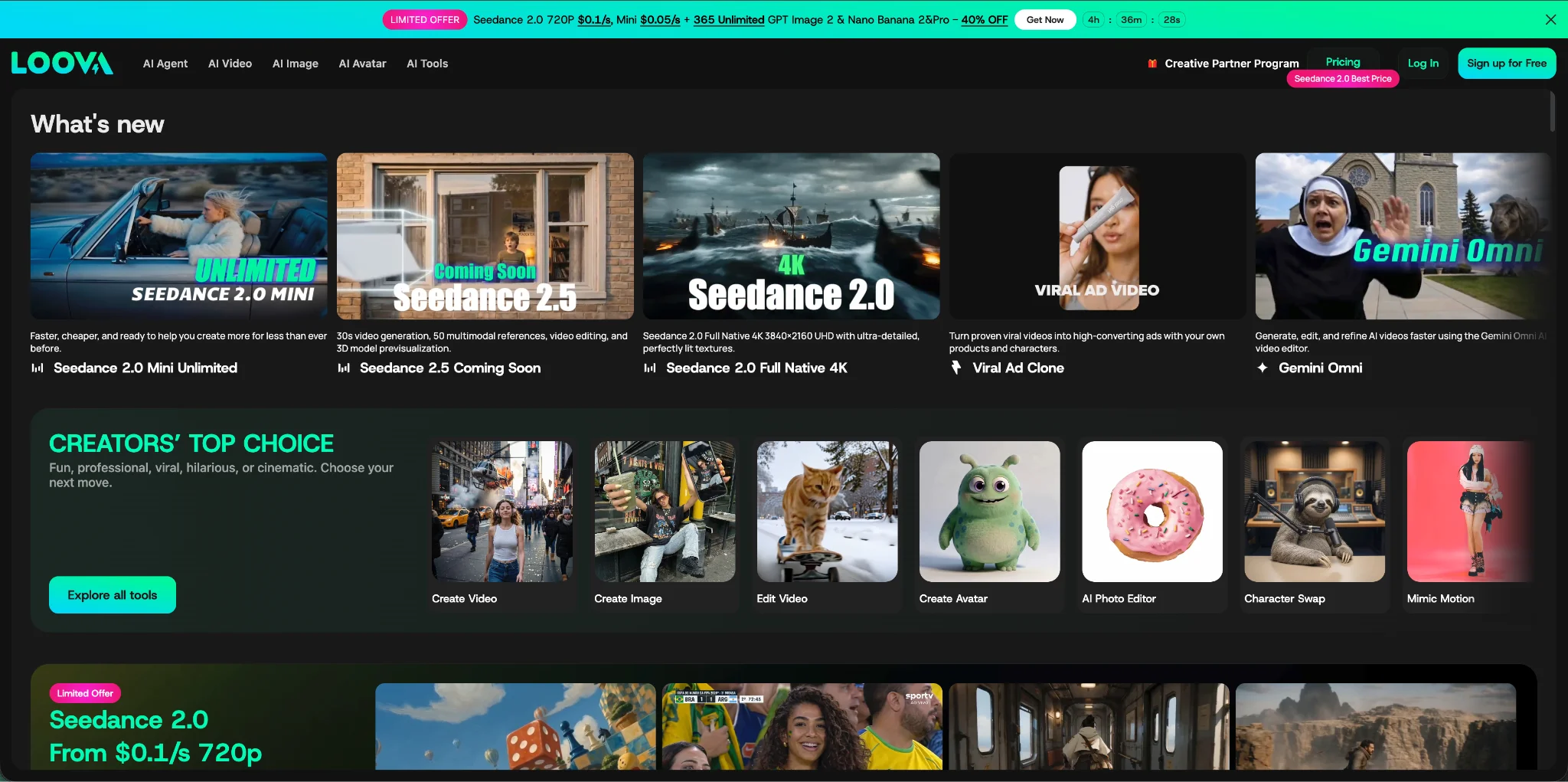
Among all the platforms I tested, Loova felt the closest to a full AI content studio.
As a solo creator, I often switch between tasks. One moment I need images for a blog post. The next moment I need short videos for social media or product demos for a landing page.
Loova makes this much simpler because it puts image generation and video generation in one place. It also brings together leading AI models such as Seedance 2.0, Kling 3.0, GPT Image 2, and Nano Banana Pro, so creators can use strong models without jumping between tools. I can create concepts with AI Text to Image tools, refine visuals with AI Image to Image, and turn those assets into animated clips while testing different video models.
The rise of user-generated content and the need for secure standards for the moderation of video content can drive the AI video market growth. Deep learning algorithms and the management of image processing techniques through automation can be a challenge for all companies.
I can easily imagine a solo founder running a skincare brand from one dashboard. Product visuals, promo videos, and social media posts can all be made in the same space.
That kind of flexibility matters when you work alone.
-
PixVerse for Viral Social Content
PixVerse feels made for creators who understand social media.
The platform is good at making videos that catch attention quickly. I found it useful for short videos on TikTok, Instagram Reels, and YouTube Shorts.
A creator running a movie recommendation account, for example, could quickly make dramatic hooks and styled intros that make people stop scrolling.
Fast testing is one of PixVerse's biggest strengths.
The infrastructure creators use to produce these videos is also shaping how the AI video market is developing. The devices used for running the production pipeline of AI videos are desktop devices, mobile devices, and cloud-based platforms. The desktop devices segment is expected to account for 47.0% share of the AI video market in 2026. This is attributed to the familiarity of desktop computers and its upgraded internal architecture. The ability of the latest graphic processing units (GPUs) to create visuals based on few prompts can bode well for the market.
-
Vidu for Publishing Every Day
Some creators need one video a week. Others need several videos a day.
Vidu works very well for the second group.
Rendering is fast, and that speed changes how creators work. Instead of planning one perfect video, creators can make several versions and choose the best one.
I tested Vidu by making several technology news clips. Being able to create variations quickly made it easier to publish often.
For solo creators, posting often is usually more important than making every video perfect.
-
Runway for Creative Professionals
Runway is still one of the strongest platforms for creators who want more control over the final look.
The platform gives users more room to edit and adjust visuals after generation. This makes it useful for filmmakers, designers, and creators who want a clear visual style.
A travel creator, for example, could generate destination footage and then adjust the pacing and cuts to make a more cinematic video.
Runway takes a bit more time to learn, but it gives creators a lot of room to play.
-
Kling for Realistic Videos
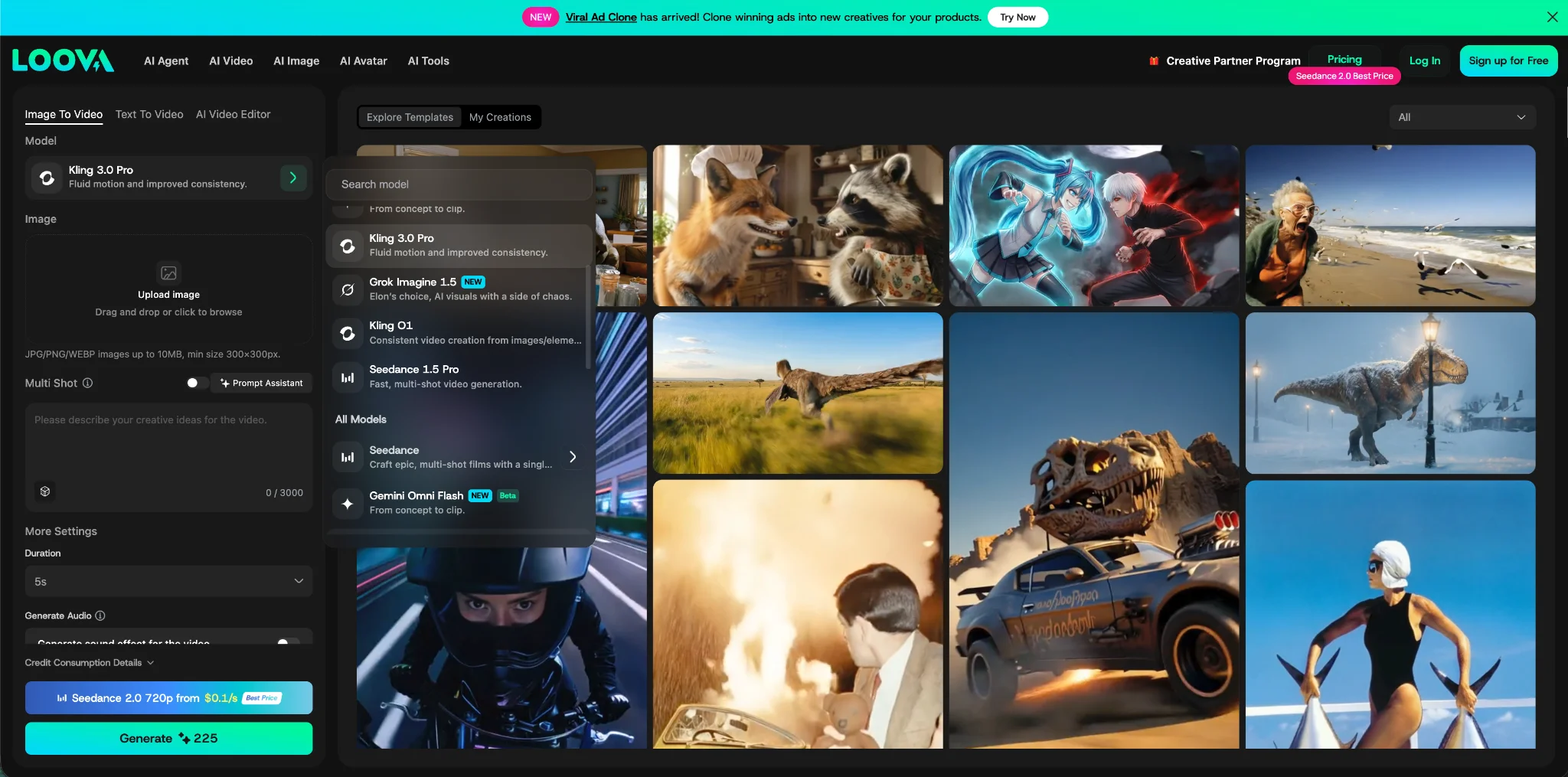
Kling 3.0 is still one of the strongest choices when realism matters.
Human movement, scene details, and cinematic shots usually look stable and believable.
I found it useful for product demos and lifestyle videos.
Imagine a solo entrepreneur deciding to go into creating a coffee brand. Instead of hiring a studio to create video footage, they could generate realistic promo clips that showcase the product's mood and style.
-
Higgsfield for Cinematic Storytelling
Higgsfield feels different from most AI video platforms.
It is not mainly about making a large amount of content. It focuses more on cinematic language. Camera movement, shot framing, and story rhythm feel very polished.
I found it useful for creators who want their videos to feel like film scenes, not just social posts.
A musician promoting a new album could make a set of short cinematic teasers with strong camera movement and a consistent look.
The platform is not the best for mass production, but it is good for making videos that people remember.
By offering type, the video analysis AI segment is anticipated to account for 43% of the AI video market in 2026. Video analysis assists in the extraction of useful insights and track objects from vast amounts of footage. The use of AI video analysis tools at gas stations, ports, airports, and other production facilities for improving operations can bode well for the market.
Pika is one of the easiest tools to recommend for beginners.
The platform is easy to start with and makes testing ideas feel simple. Creating animated content feels light and fun.
I found it useful for educational explainers, simple visual stories, and social posts that need playful motion.
Not every creator needs cinematic realism. Many just need content they can make quickly.
-
Hailuo AI for Artistic Styles
Hailuo AI focuses on creativity.
Its outputs often feel dreamy and stylized. I enjoyed using it to test visual ideas that would be hard or expensive to film.
An independent musician could create surreal promo videos that stand out from normal social content.
Sometimes the goal is not realism. The goal is to make something people remember. Hailuo’s focus on generative creativity reflects the broader role of generative AI in the video market.
By technology type, the generative AI segment is expected to account for 32% share of the AI video market. Advances of generative AI models for the creation of fast and efficient video content is expected to drive segment growth over the forecast period.
-
HeyGen for Talking Videos
HeyGen solves one clear problem very well.
Many creators need to explain ideas, teach things, or speak directly to their audience. Recording videos every day can get tiring quickly.
HeyGen allows creators to generate presenter-style videos with AI avatars.
A newsletter creator, for example, could turn written articles into video summaries without spending hours recording and editing.
This helps one person do much more.
By video generation type, the text-to-video segment is expected to garner a huge market share in 2026. Improvements in text-to-video generation to create videos rapidly using prompts and making it accessible for a vast range of users can augur favorably for the market.
-
CapCut AI for Fast Editing
CapCut AI feels closely tied to modern social media creation.
The platform includes auto captions, quick editing tools, and mobile-friendly publishing features.
I found it useful for creators who make a lot of short videos and need a fast way to get them ready to post.
When you work alone, even small-time savings matter.
By application, the media and entertainment segment is projected to hold a large market share in 2026. The number of clients and their huge marketing spend can drive the AI video market growth over the forecast period. The integration of AI into enterprise video solutions for enhancing video security protocols and extraction of insights can bode well for the segment.
-
How Solo Creators Are Using AI Today
I recently came across a fitness coach who runs her whole business by herself.
She creates workout plans, manages her social media accounts, and posts videos every day. Instead of filming every piece of content by hand, she creates visual ideas with AI Text to Video tools and animates graphics with AI Image to Video generation.
The result is not one perfect video. It is a content system that helps her make educational clips, ads, and social posts often.
This is becoming more common among solo creators.
AI is not replacing creativity. It is helping one person create more.
The AI video market in the U.S. is expected to balloon owing to launch of new AI video generation tools by companies and the growth of streaming platforms. The high potential for AI-generated videos for streamlining video production workflows and improving quality can positively impact market demand.
Which Platform Should You Choose
If you post new content every day, Vidu and PixVerse are both worth trying. They are fast, which makes it much easier to keep up with a busy publishing schedule.
If realistic people and natural movement matter most, Kling is one of the best options available.
If you care more about storytelling and camera work, Higgsfield and Runway give you more room to shape the final result.
If you regularly make different kinds of content and would rather not switch between several tools, a platform like Loova can make the whole process much easier.
In the end, the best platform is the one that matches the way you like to work, not the one with the longest feature list.
Major players of the AI video market are Microsoft, Synthesia, Pictory, Adobe, NVIDIA, Pika, HeyGen, Midjourney, Google LLC, OpenAI, InVideo, Runway, VEED, Descript, and Lumen5. The development of multimodal models with low inference costs and direct integration with existing marketing ecosystems can be a viable strategy for players.
The global AI video market is expected to scale rapidly due to the use of videos for educational and entertainment purposes. The availability of templates and an intuitive interface for faster production of videos can bode well for the market.
FAQs
- What is the best AI video platform for solo creators?
- There is no single best choice. If you want an all-in-one platform, Loova is a good fit. If speed is your priority, Vidu and PixVerse are both solid options.
- Which AI platform is best for cinematic videos?
- If your goal is to create videos that feel more like films than social posts, Higgsfield and Runway are both good choices because they offer more control over camera movement and visual style.
- Can one person really run a content business with AI?
- Yes. Many solo creators already do. AI can help with images, videos, Ads, and other creative assets.
- What is the difference between text-to-video and image-to-video?
- Text-to-video can help create a new video using a detailed prompt, while image-to-video starts with an existing image and adds motion to it.
- Are AI video platforms useful for beginners?
- Yes. Many of today's platforms are easier to use. Tools such as CapCut AI, Pika, and Loova help beginners in create videos using a conversational window. Thye help you choose the latest models for impressive graphics and smooth storytelling.
- What is the current size of the AI video market?
- The AI video market size is expected to be at USD 5.50 billion in 2026.
- What is the AI video market growth rate?
- The AI video market is expected to grow at 27% CAGR from 2026 to 2033.
- Who are the key players of the AI video market?
- Microsoft, Synthesia, Pictory, Adobe, NVIDIA, Pika, HeyGen, Midjourney, Google LLC, OpenAI, InVideo, Runway, VEED, Descript, and Lumen5 are key players of the AI video market.

