Waiting a day for a reply used to be totally normal. Now, if a customer doesn't hear back within a few hours, they're already looking at your competitor. They want help fast, and they want it on whichever platform they happen to be on, whether that's WhatsApp, Instagram, email, or your website chat. For the teams handling all of this, it's a lot to manage. Ticket volumes keep going up, channels keep multiplying, and when your tools aren't talking to each other properly, things start slipping through. A message goes unanswered, a follow-up gets forgotten, and before long a customer who could have been easily helped is writing a bad review instead.
We went ahead and did the homework so you don't have to. After going through a ton of options, we picked out 7 customer support platforms that we think are actually worth your time. These tools help your team stay organised, take care of the boring repetitive tasks, and still make customers feel like they're talking to a real person who cares. If your team is drowning in tickets right now, one of these might be exactly what you need.
Before getting into the platforms themselves, it's worth looking at what’s happening behind the scenes. The reason customer support tools have become faster, more conversational, and more capable over the last few years isn’t just better software design. It’s part of a much bigger shift taking place across the conversational AI market.
According to Coherent Market Insights, the conversational AI market covers AI-powered chatbots, digital assistants, and conversational platforms that understand natural language and automate interactions across messaging, voice, and other communications channels. That definition sounds technical, but in practice it’s the technology behind the experience customers now expect every day. Whether someone starts with a chatbot on a website, continues the conversation on WhatsApp, and later speaks to a live agent without repeating the issue, conversational AI is what keeps those interactions connected rather than fragmented.
Ready? Let's go.
AI-Powered Customer Support Platforms at a Glance
|
Tool
|
Best For
|
Key Advantages
|
|
Crisp
|
Businesses seeking unlimited conversations with cost-effective plans
|
Cost-effective plans with unlimited conversations
|
|
Zendesk
|
Large enterprises requiring extensive customisation in Business Operations
|
Comprehensive suite with 1000+ integrations
|
|
Freshdesk
|
Teams needing an omnichannel help desk with Al
|
Unified command centre across all channels
|
|
Intercom
|
Companies prioritising conversational AI
|
AI-powered messenger with resolution-based pricing
|
|
Front
|
Teams wanting collaborative inbox management
|
Personalised 1:1 communication without ticket formatting
|
|
Help Scout
|
Growing teams automating email workflows
|
Unlimited AI features with transparent pricing
|
|
LiveChat
|
Businesses focused on real-time chat engagement
|
AI Copilot with multichannel support
|
|
Respond.io
|
Mid-market B2C businesses managing high volumes of customer conversations across multiple channels.
|
Unified chats, calls, and email with AI Agents, workflow automation, and CRM integrations
|
1) Crisp - Complete AI-First Customer Support Suite with Unlimited Conversations
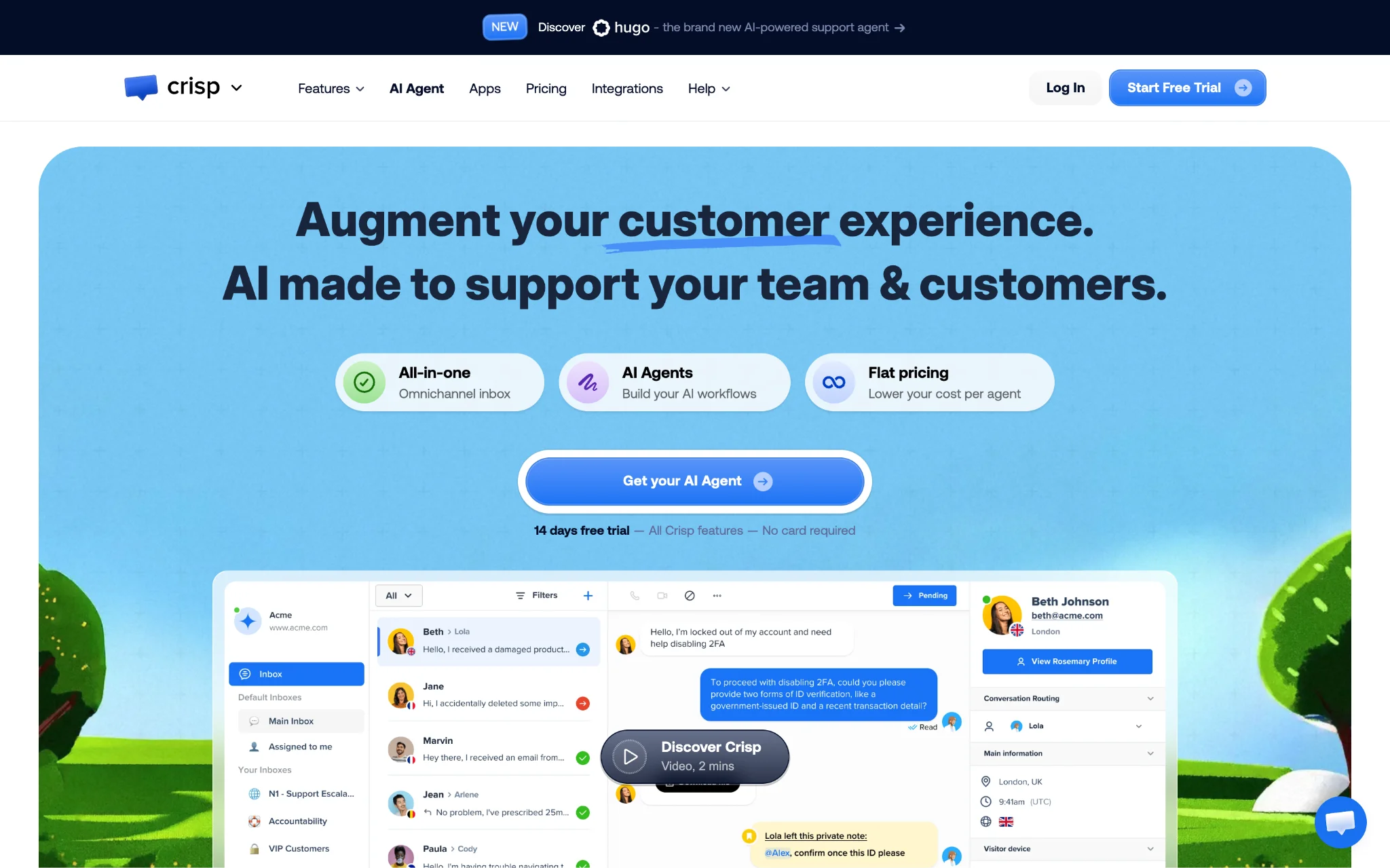
Anyone who has worked in customer support knows the pain of having everything scattered across different tools. You're checking one tab for the chat, another for the ticket history, another for the CRM notes, and by the time you actually have the full picture, the customer has already lost patience. Crisp puts all of that in one place. Chat, tickets, CRM, automation- it's all right there together. Your team spends less time digging around and more time actually sorting out customer problems, which is what they're there to do in the first place.
Pricing is where Crisp really stands out, though. Most platforms will hit you with extra charges as your conversation volume grows, whether that's per message or per resolution. Crisp doesn't do that. You pay per workspace and get unlimited conversations, which honestly makes budgeting a lot easier, especially if your team is growing and you can't predict exactly how many conversations you'll be handling next month.
Key Features
- Omnichannel inbox with WhatsApp Business Integration: Your customers are everywhere: email, chat, WhatsApp, Instagram, Telegram, Viber, SMS, Messenger, Line, and Crisp brings all of those conversations into one shared inbox. No more logging into separate apps to check messages. Everything lands in one place, and your team can actually keep up.
- AI chatbot builder with workflow automation: Building a chatbot on Crisp doesn't require a developer. You set up scenarios based on triggers like whether it's someone's first visit or what page they're on, and the bot handles those repetitive conversations automatically across all your channels. It's genuinely straightforward to configure.
- Integrated CRM with customer data unification: Crisp pulls in customer data from outside sources and keeps track of every interaction your team has had with someone, whether that's on mobile or web. Instead of digging through old threads to figure out who you're talking to, the context is already there in front of you.
- Knowledge base with self-service capabilities: Not every customer wants to wait for a reply. Sometimes they just want to find the answer themselves. Crisp lets you build out a proper help centre with guides and step-by-step articles so customers can solve common problems on their own, which also takes a lot of pressure off your support team.
What else can you do with Crisp?
Beyond core support functions, Crisp offers Campaigns for marketing automation to strengthen customer loyalty, a Status Page for system monitoring and incident detection, and Magic Browse on Essentials and plans that render website HTML/CSS in an iframe to reproduce visitor behaviour. On top of everything else, Crisp also gives you video and audio calling, live translation for when you're dealing with customers in different languages, and a Chat SDK if your team needs to build something custom on top of it. Security-wise, Crisp takes it seriously. You get GDPR compliance, encrypted backups, and infrastructure built on a microservices architecture that runs across multiple global locations. So even if something goes wrong on one end, your support operations stay up and running around the clock.
Crisp’s features also reflect a broader shift in how businesses are using conversational AI for customer support.
Crisp’s approach reflects one of the biggest shifts happening across the wider conversational AI market. Businesses are moving beyond treating chatbots as standalone tools and instead using them as part of connected customer support ecosystems that combine automation with human assistance. That change is happening across industries, from retail and banking to healthcare and travel, as companies look for faster response times without sacrificing customer experiences.
Coherent Market Insights estimates that the global conversational AI market will be worth US$ 16.09 billion in 2026 and will grow to US$ 68.52 billion by 2033, representing a compound annual growth rate of 23.0%. A large part of that momentum comes from growing demand for AI-powered customer support services and stronger collaboration between human agents and AI systems rather than replacing support teams entirely.
2) Zendesk - Enterprise-Grade Support Suite with Extensive Integration Ecosystem
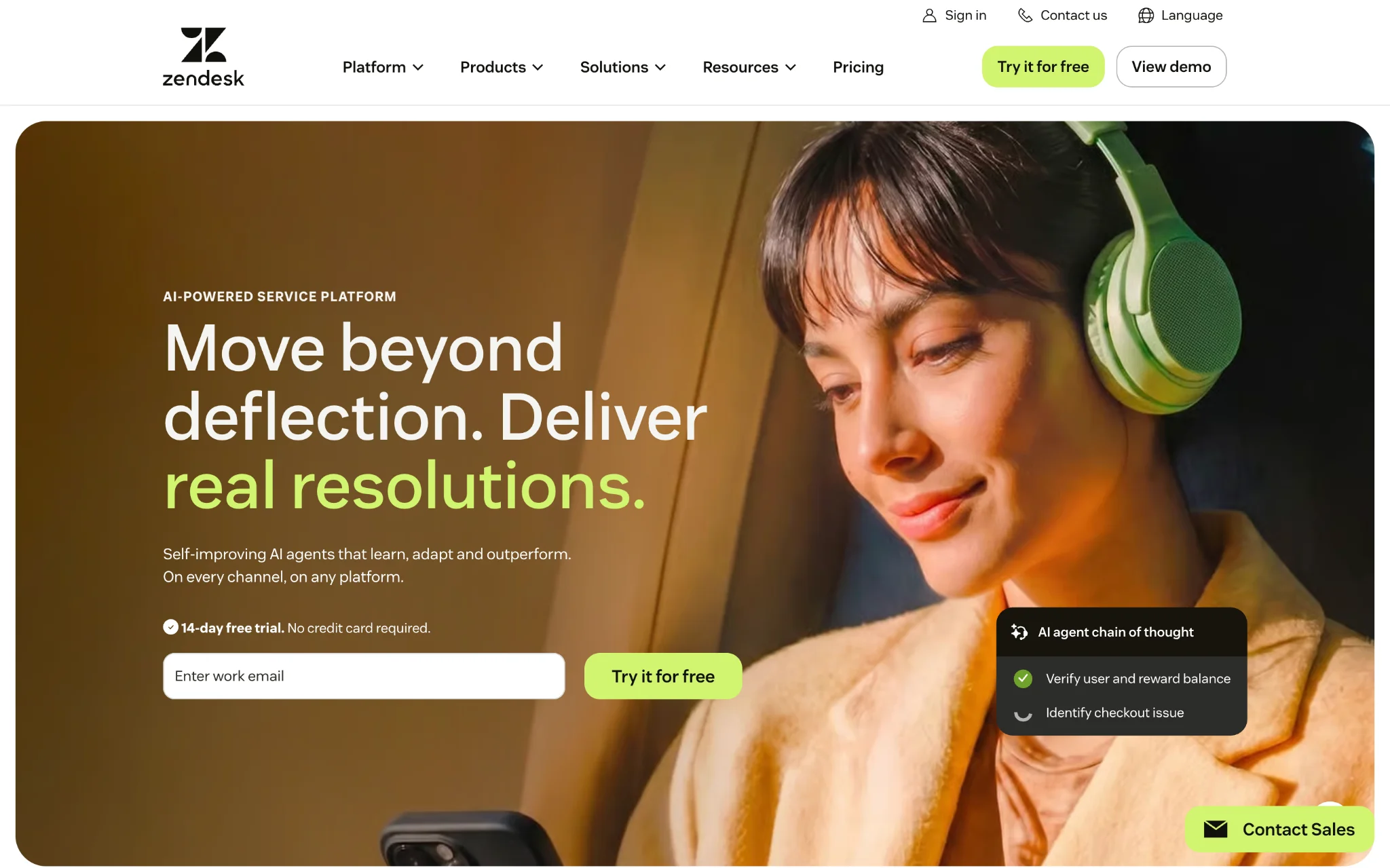
Zendesk has been in the game long enough to really understand what big support teams are up against. It's the kind of platform that was built with large organisations in mind, the ones juggling hundreds of tickets a day across different teams and channels. Over time, it has become one of the more complete options out there. You get ticketing, omnichannel communication, and enough customisation options to shape it around the way your team actually works rather than forcing your team to adapt to the tool.
One area where Zendesk really pulls ahead is integrations. With over 1000 pre-built options and solid API access, you can connect it to pretty much anything your business is already using. It also gives you a lot of control over the details, things like how tickets get routed, what different agents can see and do, and how your reports are structured. If you're running a large team spread across different departments or even different countries, that level of control actually matters quite a bit
Key Features
- Al agents with customizable personas: Nobody wants their customers talking to a bot that sounds like a bot. Zendesk lets you train AI agents to actually match your brand's tone, so conversations feel a lot more natural. They handle the straightforward stuff across different channels, and you can track how often they're actually solving things without a human needing to jump in.
- Advanced ticketing with skills-based routing: One of the more frustrating things in support is when a ticket lands with someone who has no idea how to handle it. Zendesk sorts that out by routing each ticket to the agent who actually has the right skills for it, while also factoring in how busy that person already is. Throw in custom forms, phone trees, and proper SLAs, and your team has a much more manageable workflow even on the hectic days.
- Comprehensive reporting with real-time insights: The dashboards are easy to make your own. You pick what shows up, whether that's how your agents are doing, which issues keep coming up, or where your team is getting stuck. And because it updates in real time, you're not sitting around waiting to find out something went sideways hours ago.
- Multi-brand help centre capabilities: Got more than one product or brand to support? Zendesk can handle that without things getting messy. You can run hundreds of separate help centres under the Enterprise plan, each looking and feeling completely different, and support customers in multiple languages across all of them.
- Things to keep in mind before choosing Zendesk: Zendesk is honestly a beast of a platform, and that's not always a good thing depending on your situation. Smaller teams can easily get lost in all the options and spend more time figuring out the tool than actually helping customers. The cost is another thing worth watching closely. The entry-level price looks reasonable, but once you start needing the more advanced stuff, your bill can climb pretty fast. And, if you want to really customise how everything works, set aside some proper time for training because it's not the kind of thing you'll just pick up as you go.
3) Freshdesk - Omnichannel Help Desk with Unified Command Centre
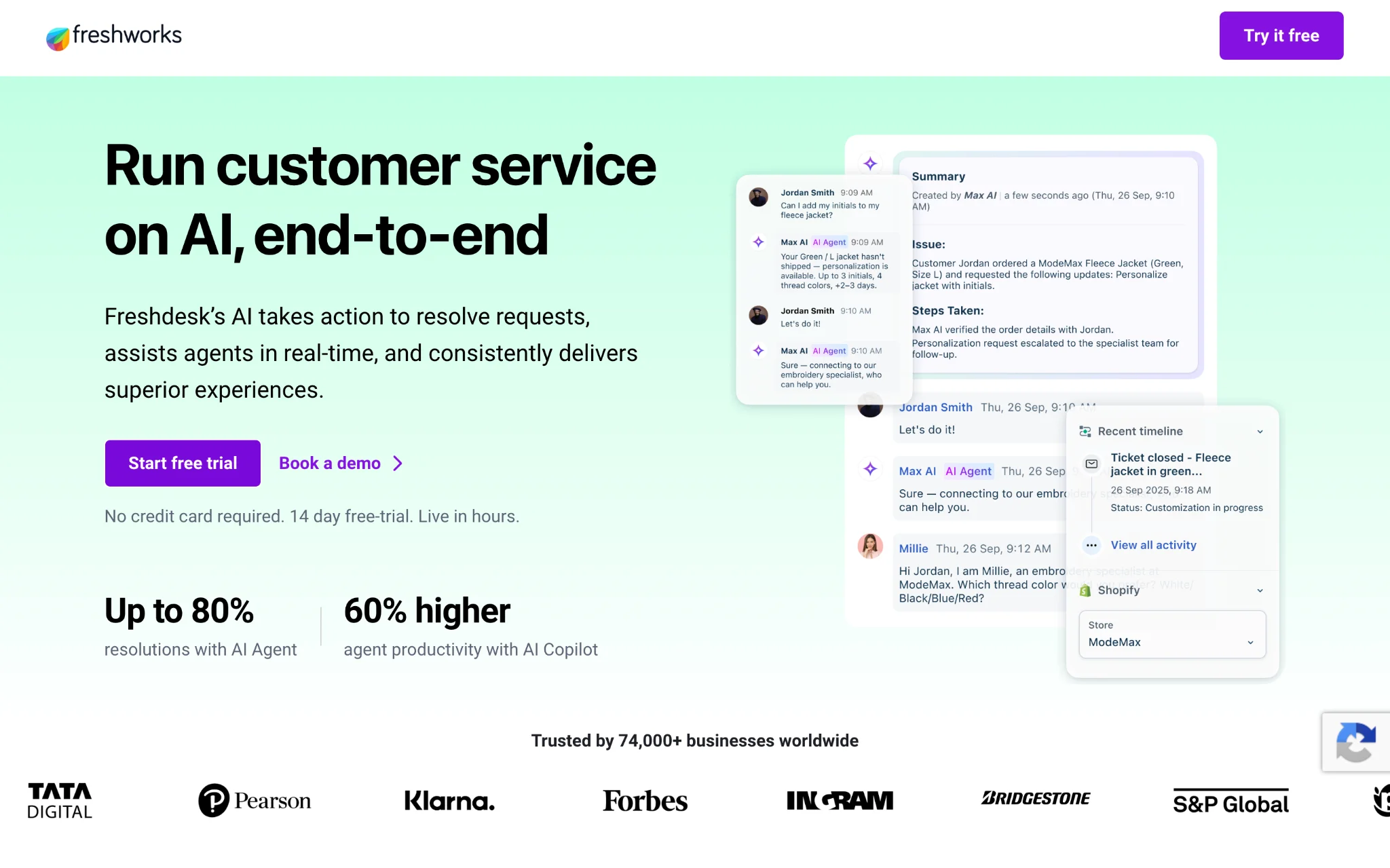
Freshdesk transforms customer interactions into structured, trackable tickets within a centralised help desk environment. The platform consolidates communication from email, chat, social messaging, SMS, and voice into a unified ticketing system that maintains context and enforces service policies throughout the resolution lifecycle. Customer Services
If you need something more powerful, the Freshdesk Omni variant takes things up a notch. With Freshdesk Omni, you get one central place where your whole team can see what's going on across every channel without having to jump between different screens. It doesn't matter if a customer sends an email, calls in, or messages you on social media; your team handles it all from the same spot. And because requests get sent to the right agent straight away based on what they're good at, you're not wasting time reassigning tickets back and forth before someone actually starts working on the issue.
Key Features
- Freddy Al with conversational agents: Most AI tools in this space are pretty limited when it comes to actual conversation. They handle one question and then fall apart the moment things get more complicated. Freddy Al is a bit different in that it can go back and forth with a customer across multiple turns and still keep track of what's going on. It also handles multi-step processes on its own without needing a human to step in at every stage. And if you want to know whether it's actually pulling its weight, you can check exactly how many conversations it's closing without any human involvement.
- Omnichannel command centre with BYOC/BYOT: Everything lands in one workspace, email, chat, SMS, social messaging, and voice calls. What's really handy here is that you can bring your own channel or your own phone setup into Freshdesk rather than being forced to use what they give you. When a conversation moves from the AI to a human agent, all the context comes with it so the customer doesn't have to repeat themselves.
- Intelli Assign with skill-based routing: Freshdesk looks at what each agent is good at, what shift they're on, and how much they're already handling before assigning a ticket. This means the workload gets spread out more fairly across your team and customers are more likely to get their issue sorted on the first try rather than being passed around.
- Enhanced ticket lifecycle management: Freshdesk gives you a pretty clear view of every ticket from the moment it comes in to the moment it gets resolved. You can see exactly how long things are sitting at each stage, which is really useful when you're trying to figure out where your team is slowing down. Templates and automation rules help keep things from getting stuck, and when you need to pull data for a compliance report or just want to review how things have been going, the export options are straightforward enough to actually use.
- Things to keep in mind before choosing Freshdesk: One thing worth paying attention to is the AI session limits. Each plan comes with a set allocation, and once you hit that cap you'll need to purchase additional packages to keep things running, which can catch you off guard if your conversation volume suddenly spikes. Also, if your team has very specific or unusual workflows, you might find that Freshdesk doesn't bend as much as you'd like compared to some of the more enterprise focused platforms out there.
The capabilities offered by Freshdesk also reflect broader investment in conversational AI solutions designed to handle high volumes of customer interactions. Platforms like Freshdesk also mirror where businesses are investing most heavily within conversational AI. The market is increasingly being shaped by solutions that can handle large volumes of customer interactions while fitting into existing business systems instead of operating as isolated support tools.
Coherent Market Insights breaks the conversational AI market into several major segments, including solutions and services, chatbots and intelligent virtual assistants, cloud and on-premises deployment, and both SMEs and large enterprises. The solutions segment is expected to account for about 65.9 % of the market in 2026 as businesses continue investing in automation platforms that improve customer engagement. At the same time, chatbots remain the dominant technology category, representing the preferred ways for customers to seek support.
4) Intercom - Conversational AI Platform with Resolution-Based Pricing
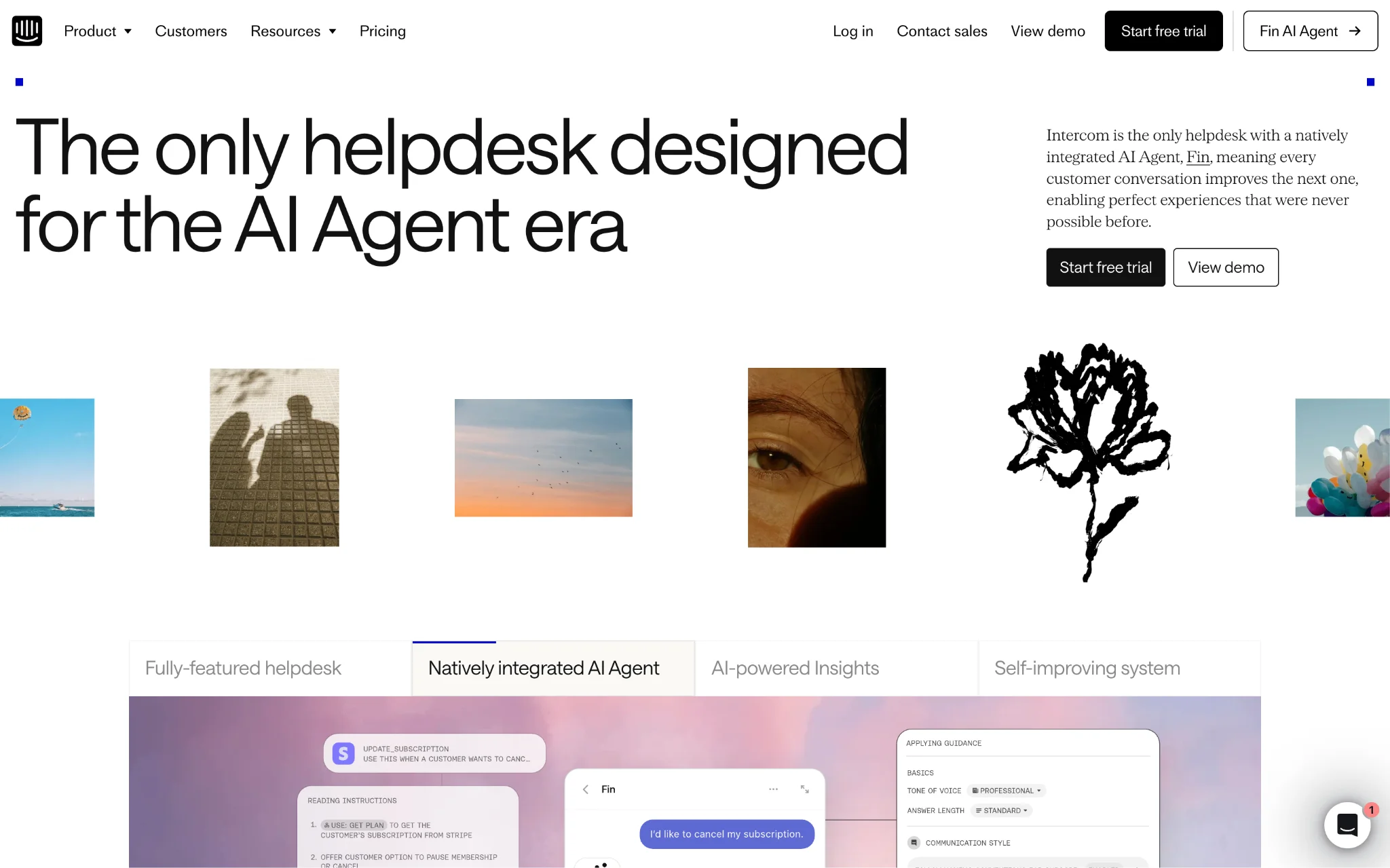
Intercom takes a bit of a different approach compared to the typical help desk setup. Instead of jumping straight to tickets, it focuses on real conversations happening in real time. The Messenger interface sits right there on your website or inside your app, so you can reach out to customers while they're actively browsing or using your product rather than waiting for them to come to you with a problem.
Intercom's Fin Al Agent handles the automated side of things, and the way they charge for it is a bit different from most platforms. Instead of paying per conversation, you only pay when the Al successfully resolves an issue on its own. On paper, that sounds like a fair approach since you're only paying for results. That said, as your volume grows, those resolution-based charges can add up faster than you might expect, so it's worth keeping a close eye on your resolution rates before your monthly bill becomes a surprise.
Key Features
- Fin Al Agent with per-resolution pricing: Fin handles straightforward customer questions on its own and only passes things over to a human when the situation actually calls for it. Its pricing is based on successful resolutions rather than the number of conversations, so you're only charged when the Al resolves an issue. It's a model that makes sense in theory, though as we mentioned, you'll want to keep a close eye on your resolution rates as your usage scales.
- Shared inbox with workflows automation: All your conversations come into one central inbox and you can build out automation workflows to handle how things get assigned and responded to. Round robin assignment means the workload gets spread across your team without anyone having to manually divide things up, and having multiple team inboxes keeps different departments from stepping on each other's toes.
- Multilingual help center with multi-brand support: On the Advanced tier you can set up help centers in multiple languages, which is a big deal if you're serving customers in different countries. If you're running more than one brand, the Expert tier lets you have separate messengers and help centers for each one so everything stays clean and on brand for each audience.
- SSO and HIPAA compliance on Expert tier: If your business operates in a heavily regulated industry or just takes security seriously, the Expert plan covers the bases you'd expect. You get single sign on, identity management, HIPAA support, and proper service level agreements. The 50 free Lite seats that come with it are also handy for giving wider team access without adding too much to your bill
- Things to keep in mind before choosing Intercom: The per resolution pricing sounds appealing at first but if you're dealing with a high volume of conversations it can get costly pretty quickly. It's the kind of thing that sneaks up on you as your business grows. The Lite seats are a nice addition on paper but they're pretty limited in what they can actually do, so don't count on them for anything beyond basic access. And if you find yourself needing some of the more advanced features, a lot of them are locked behind the Expert tier which is a significant jump in price for teams that are watching their budget closely
5) Respond.io – Customer Conversation Platform for High-Volume Customer Engagement
Respond.io connects B2C businesses with customers who chat or call before buying, using one inbox where AI Agents work alongside teams to handle every chat, call and email. Staff can check earlier messages, reply, and hand the conversation to a colleague without having to piece together the history across different apps.
AI Agents can handle the initial questions and collect details before someone from your team takes over. For a business receiving appointment requests or product inquiries throughout the day, that gives staff a starting point when they join the conversation.
So, if a customer asks about a product on Instagram, follows up on WhatsApp, then calls before placing an order, your team needs to know what’s already been discussed, whoever picks up next.
Key Features
- A shared inbox for messages and calls: WhatsApp, Instagram, Messenger, email, and other supported channels feed into the same platform. Supported calls sit alongside the message history, too. You can assign conversations to the people responsible for them, with separate workspaces available for businesses managing several teams or locations.
- AI Agents and automated follow-ups: You can train AI Agents using your business materials, giving them information to draw on when customers ask questions. Before passing an inquiry to your team, an AI Agent can ask for the customer’s details and a little more information about what they need. You can also set up workflows to assign the conversation or send a follow-up. When a colleague takes over, they can read a summary of what’s been discussed. *You’ll need the Growth plan or above to use AI Agents and workflow automation.
- Customer records that connect with your CRM: If someone asks about a product, gets a price, then goes quiet, your team can check their record in Respond.io to see what was discussed and how far they got before following up. HubSpot and Salesforce integrations, along with connections through Zapier, Make, and n8n, help keep this information connected to the systems you already use.
- Reporting and help with setup: If customers are waiting too long for a reply, managers can check response times and team reports to see where things are slowing down. There’s also help available while you configure the platform. Copilot can answer setup questions and help you build an AI Agent by describing what you need it to do. You review the proposed settings, test the agent, and decide when it’s ready to publish. Human and AI support are available around the clock.
- Things to keep in mind before choosing Respond.io: If you only receive a handful of inquiries each day, you may have little use for some of these features. Budget for Growth or above if you want AI Agents and workflows, and allow time to test the answers and handovers before customers use them. Meta’s WhatsApp charges are separate from the subscription, although Respond.io adds no messaging markup.
6) Front - Collaborative Customer Operations Platform with Al-Powered Workflows
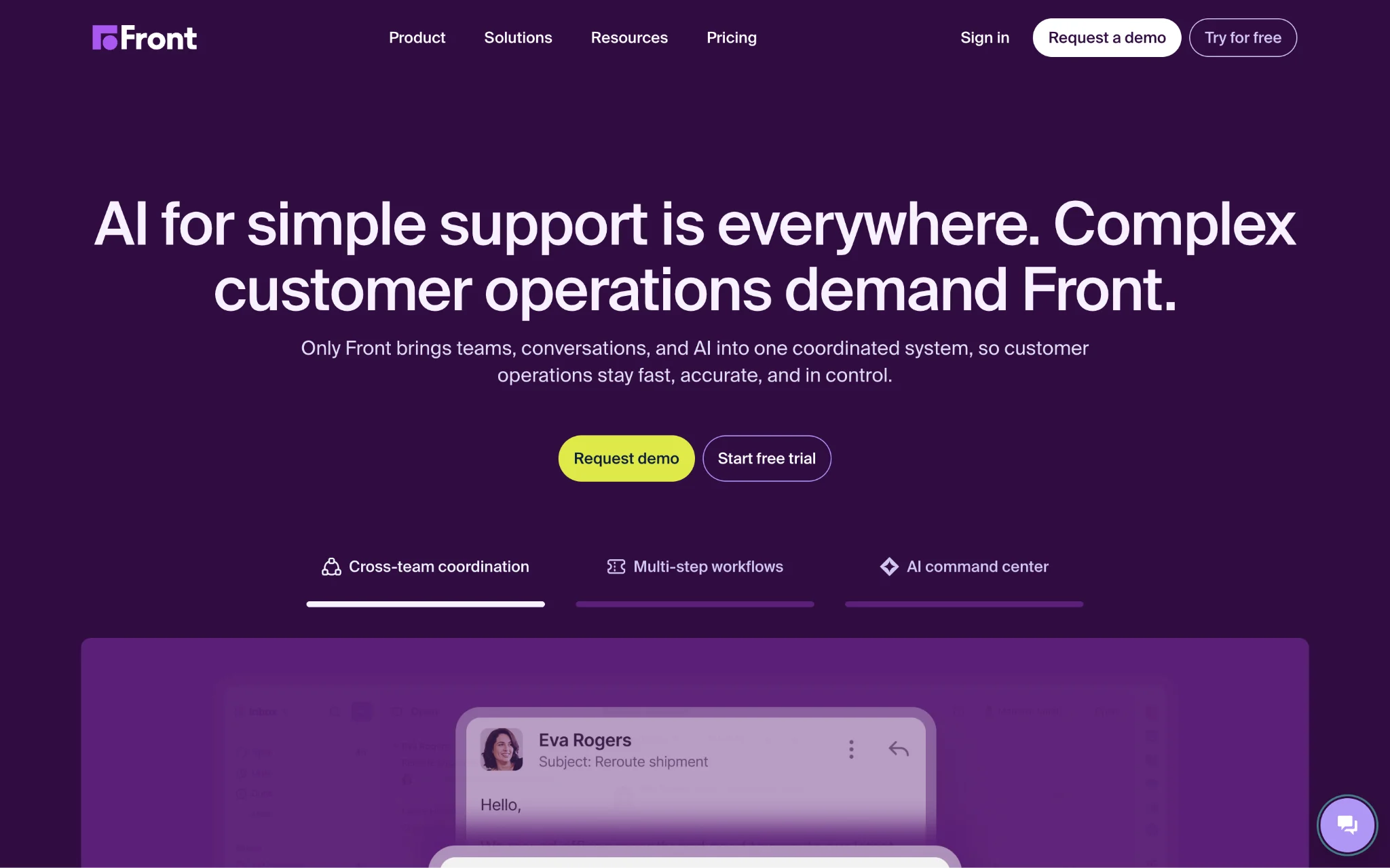
Front reimagines customer communication by eliminating traditional ticket formatting in favor of personalized, natural conversations. The platform centralizes email, live chat, SMS, WhatsApp, and social channels into a collaborative workspace where teams coordinate behind the scenes while customers experience seamless, human interactions.
What's nice about Front is that the Al tools actually cover the full picture. Autopilot takes care of inquiries on its own, Copilot helps your agents work faster, Smart QA keeps an eye on quality without someone having to manually review every conversation, and Smart CSAT gives you a read on how satisfied customers are without waiting for them to fill out a survey. It all works together within the same platform so you're not stitching together a bunch of separate tools just to get a complete view of how your support operation is running.
Key Features
- Autopilot with conditional branching playbooks: Automate customer inquiries beyond FAQs using historical conversations and help content, with conditional workflows that define exactly which inquiries Al handles and seamless handoffs to humans with full context preservation.
- Smart QA and Smart CSAT for quality insights: Most teams can only review a small handful of tickets manually and a lot slips through the cracks that way. Front's Smart QA goes through every single ticket on its own and checks things like whether the agent's tone was right, if the response was clear, and whether the customer felt heard. Smart CSAT is useful for those situations where customers just don't bother filling out a feedback form, which honestly is most of the time. It reads the conversation and takes a pretty good guess at how the customer felt about it, so you always have something to work with even when the survey response rate is low.
- Collaborative inbox with internal coordination: Your team can have full conversations behind the scenes without the customer ever seeing any of it. Someone can tag a colleague with an @mention, leave a private comment asking for advice, and the customer just sees a clean, confident response on their end. No more messy email chains or lost context when a conversation gets handed off to someone else.
- Topics for Al-powered categorization: Front automatically figures out what each conversation is about and tags it accordingly.. This is more useful than it might sound at first because over time you start seeing patterns, which issues keep coming up, where your team is spending the most time, and where automating something might actually save you a lot of effort. And nobody has to sit there manually tagging tickets to make it happen.
- Things to keep in mind before choosing Front: Autopilot pricing is one of those things where you won't really know what you're getting into until you talk to someone on their sales team, which isn't ideal when you're trying to compare options and work out a budget. On top of that, the Enterprise plan is annual only, so if things don't work out the way you hoped, you're still stuck paying for it. A few features that most teams would consider pretty basic, like being able to set up unlimited rules, are gated behind the pricier plans. If you're a smaller team that just needs the core functionality without paying for a bunch of extras you'll never use, that can feel a bit limiting.
7) Help Scout - Email-Focused Support Platform with Unlimited Al Features
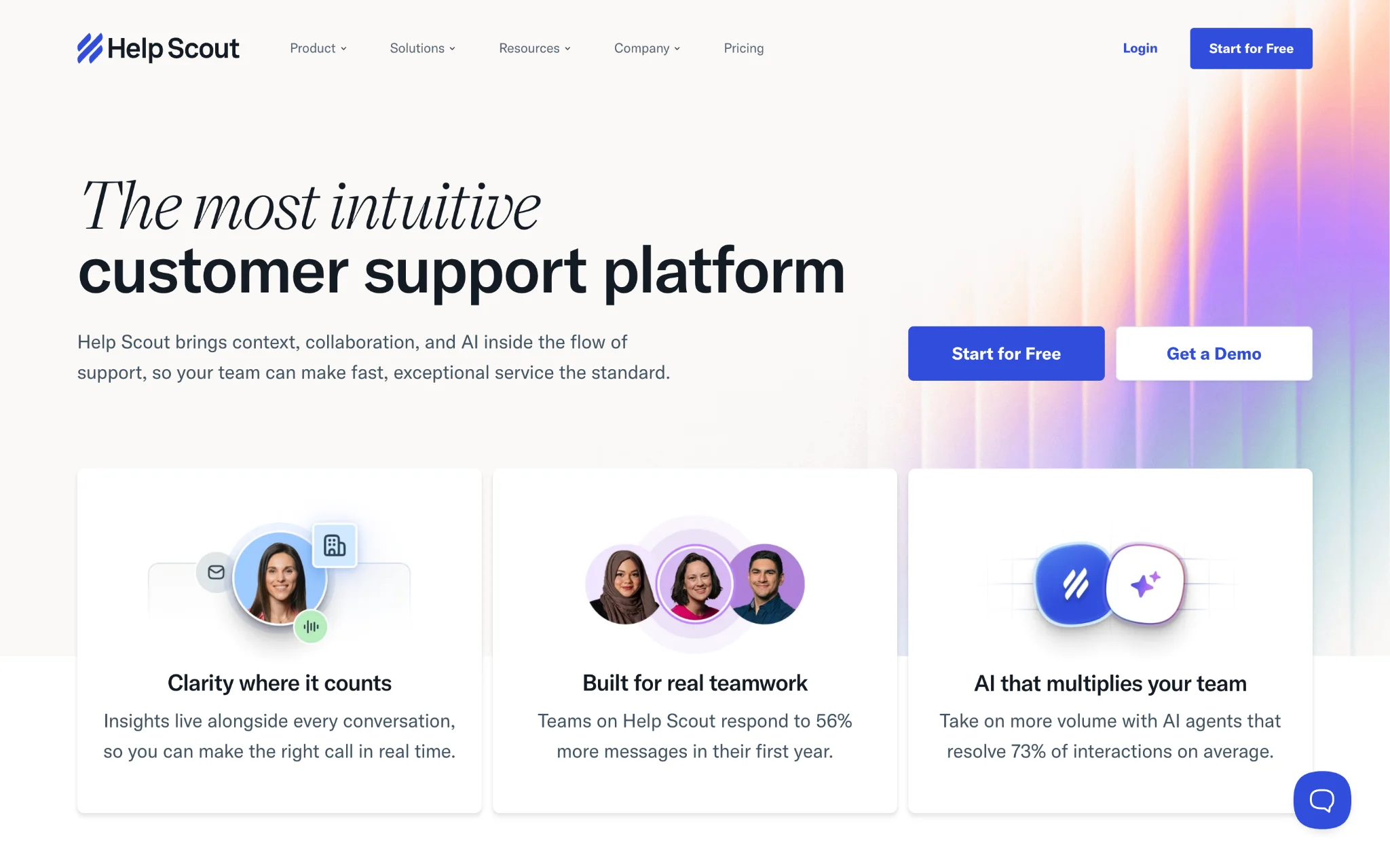
Help Scout keeps things simple and that's kind of the whole point. It's built around email support but also brings in live chat and al knowledge base without making things complicated. If your team has struggled with platforms that take weeks to figure out, Help Scout is the kind of tool where people actually get up to speed quickly and start using it property from day one.
The Al Answers chatbot works on a pay-per-resolution basis, meaning you only pay when the Al successfully resolves a conversation. New accounts also get a trial period with unlimited Al resolutions, which is a genuinely useful way to test the platform before any usage-based charges apply. You can also set spending caps, so there are no unexpected surprises at the end of the month. It's a small feature, but it shows they've considered how real teams manage their budgets.
Key Features
- Unlimited Al Assist, Drafts, and Summarize: Access unlimited Al-powered drafting, summarization, and assistance features across all paid plans without usage caps, helping agents respond faster while maintaining consistent quality and tone alignment with brand standards.
- Al Answers with escalation safeguards: The chatbot handles what it can and when it hits a wall it passes the conversation over to a human without leaving the customer stuck. You only get charged for the conversations it fully resolves on its own, so you're not paying for attempts that didn't actually go anywhere. It's a pretty fair way to handle the billing and it means there's no risk of customers hitting a dead end with no way out.
- Advanced workflows with round robin routing: On the Plus plan you can set up to 500 workflows which is more than enough for most teams. Round robin routing makes sure conversations get spread out evenly so the same few people aren't always getting buried while others have an empty queue. You can also group things by internal teams or companies which keeps everything tidy when you're managing support across different departments or client accounts.
- Beacon embeddable support hub: Beacon sits on your website or inside your app and gives customers a way to search your knowledge base, send a message, or fill out a survey all from the same little widget. It lowers the barrier for customers who want. to help themselves before reaching out, and for the ones who do need to get in touch, the process feels a lot smoother than hunting around for a contact form.
- Things to keep in mind before choosing Help Scout: Help Scout is great for email and chat but if your customers also reach out by phone or SMS you'll need to bring in third party integrations to cover those channels, they're not built in natively. That's an extra layer of setup that not everyone wants to deal with. The Pro plan is also worth looking at carefully before you commit because it has a minimum of 10 users. If you're a small team that just wants access to the more advanced features without meeting that threshold, you're basically paying for seats you don't need.
7) LiveChat - Real-Time Customer Engagement with Al Copilot
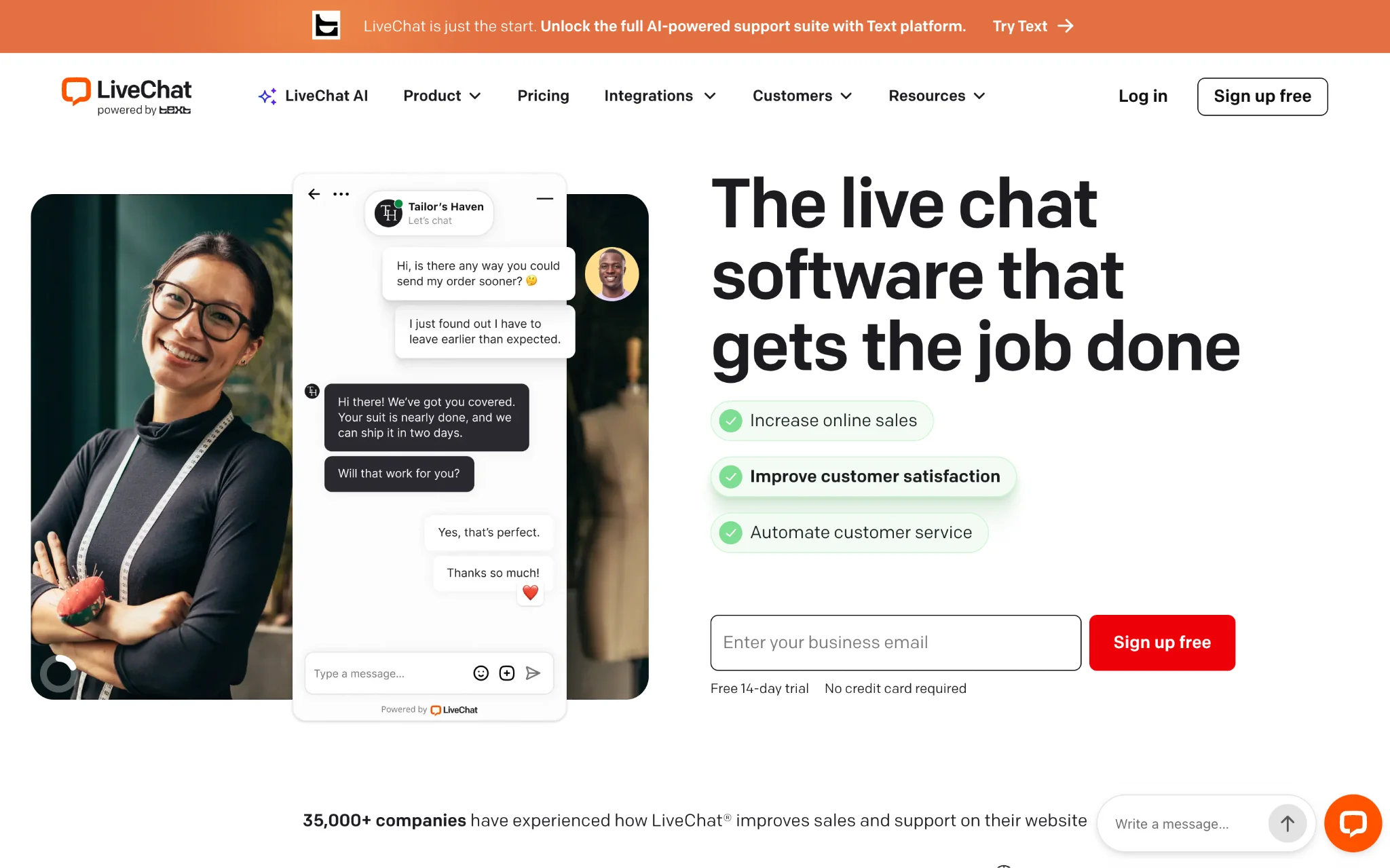
LiveChat is built around one core idea, catching customers while they're actually on your site and helping them right then and there.. The chat widgets are branded and easy to set up, and the whole point is that your team can jump into conversations with visitors before they get frustrated and leave. It works well for both support and sales since you can use it to capture leads just as easily as you can use it to resolve issues. Customer Services
The Al Copilot comes included across all plans which is a nice touch. It suggests replies, recommends tags, summarizes chats, and helps clean up how responses are worded. For agents who are handling multiple conversations at once, having those suggestions right there speeds things up quite a bit and keeps the quality consistent without needing everyone to go through lengthy training sessions.
Key Features
- Al Copilot with reply suggestions: On the Starter plan the Copilot pulls suggestions from 3 sources and that jumps to 10 on the higher tiers. Beyond just suggesting replies it also picks up on the sentiment behind a conversation, recommends tags, puts together chat summaries, and helps tighten up how responses are worded. When you've got agents juggling several chats at the same time, having that kind of support in the background makes a real difference.
- Multichannel support with marketplace extensions: Out of the box LiveChat connects with your website, apps, Facebook Messenger, Apple Messages for Business, and SMS. For channels like Instagram, WhatsApp, email, and X you can bring those in through marketplace extensions. It's not all native but everything still comes together in one interface so your team isn't bouncing between different tabs to keep up with conversations coming from different places.
- Visitor tracking with proactive engagement: On the Business plan you can keep an eye on up to 1000 visitors at once and reach out to the ones who look like they need a nudge. The work scheduler and staffing prediction tools help you make sure you've got enough people online at the right times, and proactive chat invitations let you start conversations with high value prospects before they talk themselves out of making a purchase.
- Advanced reporting with agent performance metrics: A lot of support teams run on gut feeling for way too long before they realise they actually need proper data to make good decisions. The Business tier on LiveChat gives you that. You can see exactly how each agent is doing, where response times are slipping, and how customers are feeling about the support they're getting. When someone on your team is struggling or a process isn't working the way it should, the data makes it pretty obvious rather than you having to wait for things to go visibly wrong before you notice.
- Things to keep in mind before choosing LiveChat: The Starter plan is really only useful if you're a one-person operation since it doesn't allow for any team collaboration at all. The moment you need more than one person handling chats, you'll have to upgrade. Some of the channels you'd expect to be built in natively, like WhatsApp and Instagram, actually require marketplace integrations to get working, which adds a bit of setup time. And if you're running a busy site with a lot of visitors, the tracking limits on the lower plans might not be enough to give you the full picture of what's happening on your site at any given moment.
Beyond individual platforms, adoption patterns across regions are also shaping the development of conversational AI.
Looking behind individual platforms, regional adoption is also shaping how conversational AI continue to evolve. According to Coherent Market Insights, North America is expected to account for around 29.3% of the conversational AI market in 2026, supported by strong technology investment, cloud infrastructure, and ongoing AI research from companies such as Microsoft, Google, IBM, Amazon, and Oracle. Those investments have helped accelerate enterprise adoption across customer services, retail, finance, and healthcare, where businesses increasingly rely on conversational AI to manage growing volumes of customer interactions.
The competitive landscape also highlights how broad this market has become. Coherent Market Insights identifies companies including Google, Amazon Web Services, SAP, Rasa Technologies, Microsoft, IBM, Oracle, Avaamo, Kore.ai, Cognigy and Nuance Communications among the major players contributing to conversational AI innovations.
One point is worth remembering: the biggest opportunities come with practical challenges. Coherent Market Insights notes that limitations in contextual understanding, along with privacy and security concerns, remain important considerations as businesses expand conversational AI deployments. The platform that stand out over the next few years are likely to be ones that balance automation with accurate responses, smooth handoffs to human agents, and responsible handling of customer data rather than simply adding more AI features.
With these broader market trends and practical considerations in mind, the differences between the platforms become more important when choosing a solution.
The Verdict: Which Platform Should You Choose? (Our Top 3 Picks)
After spending time looking at all these platforms across features, pricing, and how they actually hold up in real-world use, three of them kept rising to the top for different reasons.

