If you want to keep an eye on what's going on with a blockchain, block explorers are the tool you turn to. They let you pull up transactions and watch activity as it happens. Some of them are pretty basic and work fine for casual users who just need a quick transaction search, but plenty of others have gone further and packed in things like staking analytics or governance data for the more serious crowd.
Read on to discover three of the best block explorers you can use to track Cardano network activity.
Key Takeaways
At its core, a block explorer is just a search engine for a blockchain. You punch in a wallet address, transaction ID, or block number, and it pulls up whatever you need to know about activity on the network.
Not every explorer is built the same though. Some are pretty bare bones while others come loaded with stuff like native token and NFT tracking, on-chain governance data, staking pool analytics, and smart contract visibility, so it is worth knowing what you actually need before picking one.
On Cardano, the three names that keep coming up are AdaStat, Cardanoscan, and Cexplorer, and each one has its own strengths depending on what you are trying to do.
AdaStat
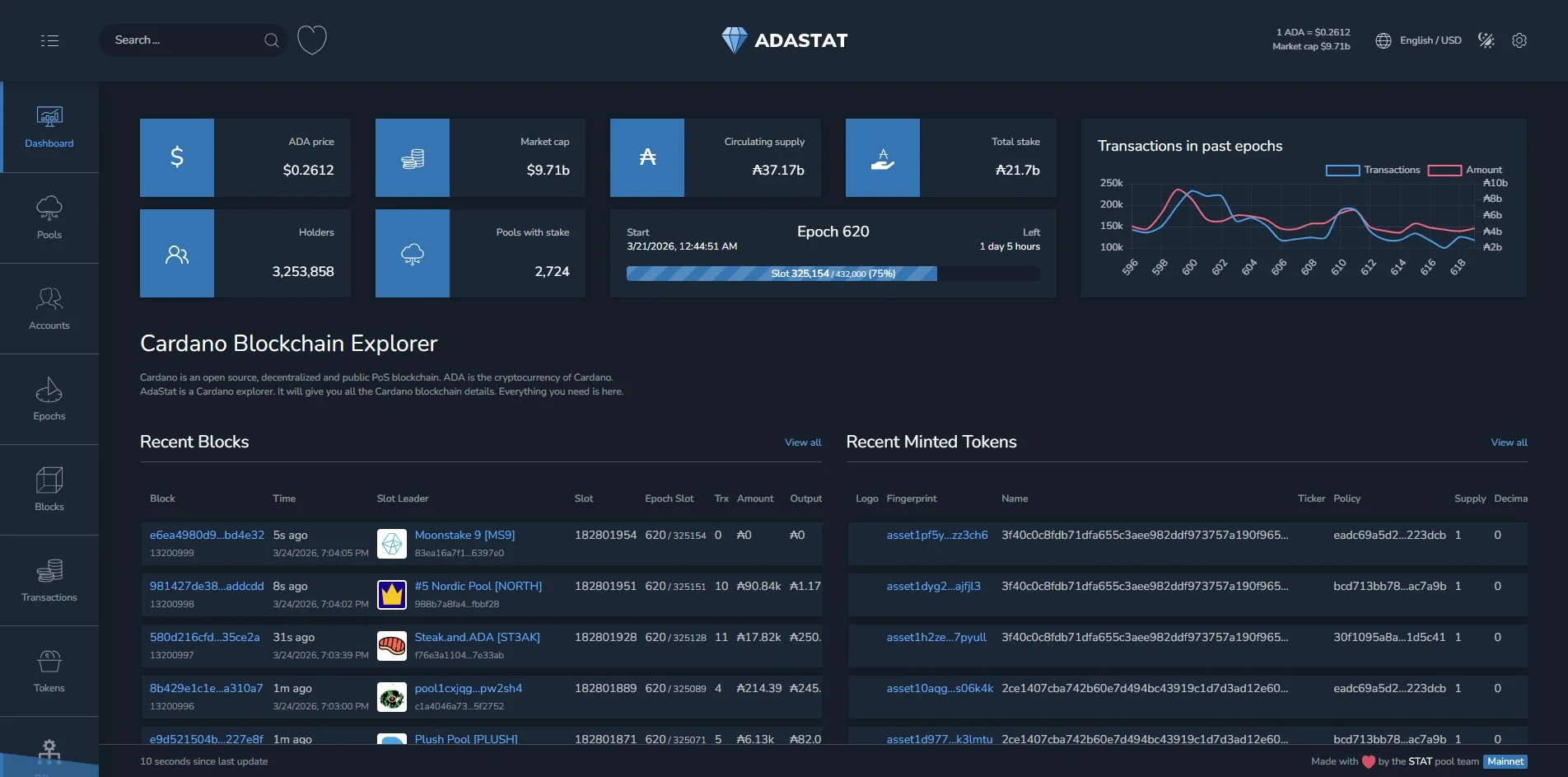
AdaStat is an open-source Cardano block explorer that's been active since the early Shelley era. It lets users explore addresses, blocks, epochs, staking pools, and transactions.
The platform has built a following around its analytical tools. These include custom charts and advanced pool filtering by parameters like pledge size and delegator count, along with a free public API for developers who want direct access to network data.
On-Chain Data & Live Price Tools
Aside from detailed account history, block, epoch, pool performance, and transaction data, AdaStat also shows the Cardano price and market data.
It features a Cardano mempool explorer and support for the network’s scripts. The explorer picks up new Cardano features quickly as they roll out.
Cardanoscan
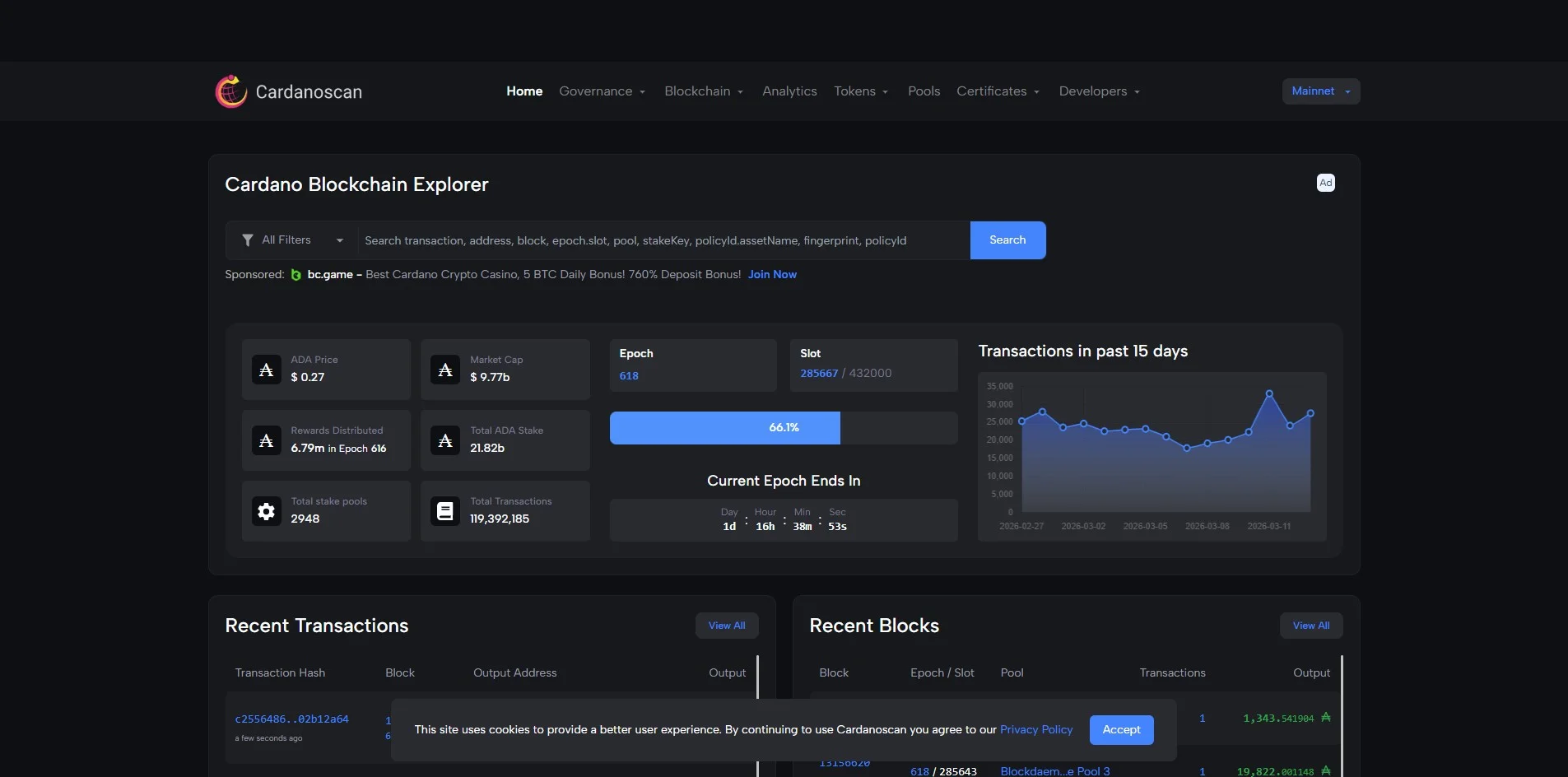
Cardanoscan has earned a solid reputation in the Cardano community and sits among the most used explorers out there. People tend to rely on it because it stays stable even when network traffic spikes, and it handles a pretty wide range of tokens without breaking a sweat.
Looking up on-chain activity on Cardanoscan is pretty straightforward, whether you are digging into staking data or just want a quick look at recent transaction history. Everyday users tend to pull it up when they need to confirm a transfer went through or check what is sitting in a wallet. On the other hand, people active in DeFi and NFTs find it handy for following smart contract activity and tracing exactly where things are moving on chain.
On-Chain Data & Live Price Tools
Cardanoscan offers dedicated native token pages, pool data searches, stake address views, and transaction lookup for assets issued on the Cardano network. Users can dig into block data and token transfers, with staking data covering delegation history and pool performance.
To date, the explorer has indexed over 100 million transactions on the Cardano network. It handles live lookups and historical research equally well. Developers can use the API to pull real-time blockchain data.
Cexplorer
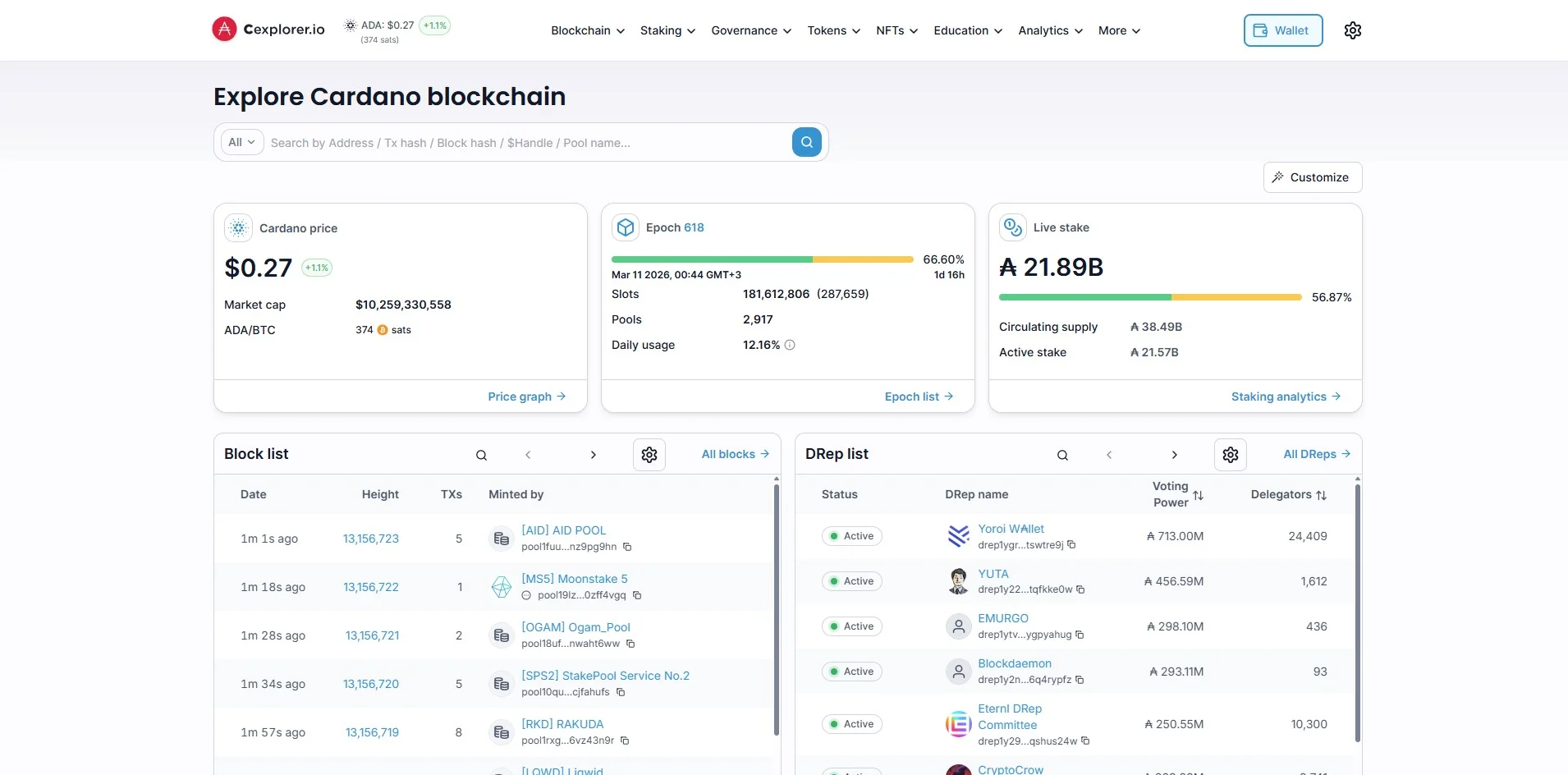
Cexplorer describes itself as ‘the independent and most feature-rich Cardano blockchain explorer.’ The platform goes deep on staking and analytics, with tools most explorers skip.
In the Cardano community, Cexplorer is where stakers tend to land. It prioritizes deep pool metadata and time-series network data that goes beyond what many other block explorers offer.
On-Chain Data & Live Price Tools
Staking is clearly where Cexplorer puts most of its energy. You get detailed stake key views, delegation history, epoch-level data, and pool performance statistics all in one place, which makes it genuinely useful for ADA holders who want to keep tabs on how their chosen pool is performing and watch their rewards build up over time.
On the data side, it keeps things pretty current, showing active stake, circulating supply, market cap, and live ADA price with near real-time updates. Beyond that, the analytics dashboards cover a solid range of metrics including active wallets, pool issues, and top staking accounts. Native tokens and NFTs on Cardano are supported as well, so it is not purely a staking tool either.
Is a Block Explorer Enough to Track ADA?
It might be, depending on your expectations. Block explorers are good at on-chain lookups. Large-scale data aggregation or visualization is a different category of tool.
AdaStat is the choice for analytics, with custom charting and pool filtering tools that go further than most. Cardanoscan is faster to navigate day-to-day, and Cexplorer is where stakers go when they want epoch-level data and delegation history in one place.
Block explorers show what happened on-chain, whereas price trackers add the financial layer. Using both together covers most of what active ADA holders actually want to know.
Disclaimer: This post was provided by a guest contributor. Coherent Market Insights does not endorse any products or services mentioned unless explicitly stated.
Share this story
R
About Author
Ravi Soni
Ravi Soni is an insightful writer with a passion for Bitcoin and Web3 technologies. His writing explores the transformative potential of blockchain and decentralized systems, making complex topics accessible and engaging. Ravi’s work delves into the latest trends and developments in the world of cryptocurrency and Web3, offering readers a clear view of the future of digital innovation. When he’s not writing, Ravi enjoys keeping up with tech advancements and exploring new frontiers in the digital space.